
Appearance
ASSETS / LIFECYCLE WALKTHROUGH
Asset Lifecycle Walkthrough
Tenant-facing operational, lifecycle, compliance, and accounting verification.
Contents
- Readiness before testing
- Tenant test data to create
- Common tenant values
- How to run and record each test
- Module 1 - Asset Register
- Module 2 - Asset Acquisition
- Module 3 - Depreciation
- Module 4 - Asset Transactions
- Module 5 - Depreciation and accounting review
- Module 6 - Advanced tracking
- Module 7 - Capital projects and capitalization
- Module 8 - Compliance and supporting operations
- Accounting verification
About this guide
Use this guide after the Asset Setup and accounting prerequisites are ready. Every named record below is an example to create or select in the tenant's own company. These are not pre-existing records.
The flow intentionally uses four consistent assets:
- three physical assets for registration, acquisition, depreciation, transactions, and supporting records;
- one building shell for the capital-project and capitalization path, so it is not acquired twice.
Use tenant values, not copied IDs
Select visible lookup values from the signed-in tenant. Do not copy tenant IDs, business-unit IDs, user IDs, account codes, location IDs, or dates from another environment. Use the tenant's approved base currency and open accounting date.
1. Readiness before testing
Complete the following setup before creating operational records.
| Setup area | Ready when |
|---|---|
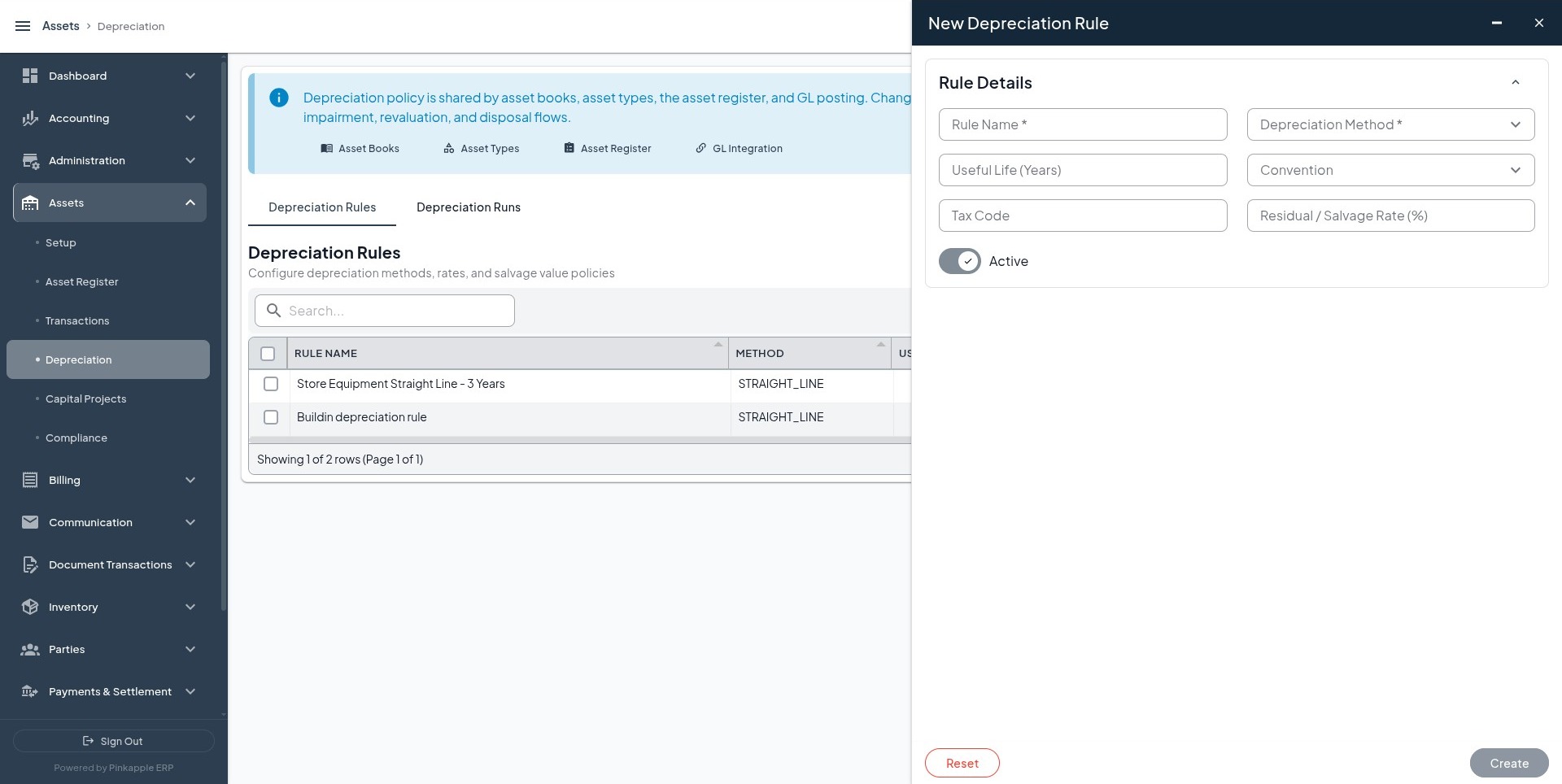
| Depreciation rules | IT Equipment, Motor Vehicles, and Commercial Buildings rules are active and approved where approval is enabled. |
| Asset types | IT Equipment, Motor Vehicles, and Commercial Buildings exist and use the matching rules. |
| Asset books | Accounting, Tax, and Management books exist when the tenant needs those reporting bases. |
| Asset products | The four products in Section 2 exist, are active, and link to the correct asset types. |
| GL configuration | Approved asset posting rules, account mappings, and disposal methods exist. |
| Locations | Head-office, server-room, fleet, and branch locations, or approved tenant equivalents, are selectable. |
| Approval policy | Required asset users and approval levels are configured. |
| Accounting period | The accounting date to be used for posting is open. |
2. Tenant test data
Create or select these records in the tenant. Keep the visible names consistent across every module so reports and journals can be traced end to end.
2.1 Assets to register
| Asset | Asset tag | Serial number | Product | Asset type | Depreciation rule | Location | Custodian |
|---|---|---|---|---|---|---|---|
| Dell Latitude 5440 finance laptop assigned to the Kampala Head Office | FA-IT-001 | DL5440-UG-001 | Dell Latitude 5440 - Finance Laptop | IT Equipment | Straight Line - 3 Years | Head-office location | Tenant custodian |
| HPE ProLiant DL380 Gen11 application server for the ICT Server Room | FA-IT-002 | HPE-DL380-UG-001 | HPE ProLiant DL380 Gen11 - Application Server | IT Equipment | Straight Line - 3 Years | Server-room location | Tenant custodian |
| Toyota Hilux double cab assigned to field operations | FA-VEH-001 | HILUX-UG-001 | Toyota Hilux 2.8 GD-6 - Field Operations | Motor Vehicles | Straight Line - 5 Years | Fleet location | Tenant custodian |
| Kampala branch office building shell | FA-BLD-001 | Leave blank when not applicable | Kampala Branch Office Building Shell | Commercial Buildings | Straight Line - 40 Years | Branch location | Tenant custodian |
2.2 Acquisition values
Acquire only the first three assets in Module 2. The building shell is created through CIP capitalization in Module 7.
| Asset | Amount | Currency | Description |
|---|---|---|---|
| Dell Latitude 5440 finance laptop assigned to the Kampala Head Office | 4,800,000 | Tenant base currency | Acquisition of Dell Latitude 5440 finance laptop for the Kampala Head Office |
| HPE ProLiant DL380 Gen11 application server for the ICT Server Room | 18,000,000 | Tenant base currency | Acquisition of HPE ProLiant DL380 Gen11 application server for the ICT Server Room |
| Toyota Hilux double cab assigned to field operations | 120,000,000 | Tenant base currency | Acquisition of Toyota Hilux double cab for field operations |
Use the tenant's approved currency. The amounts above are controlled test values; document any approved conversion when the tenant does not use UGX.
2.3 Supporting records
| Asset | Identifier | Warranty | Document |
|---|---|---|---|
| Dell Latitude 5440 finance laptop assigned to the Kampala Head Office | NFC: NFC-FA-IT-001 | Manufacturer warranty dates from the supporting document | Approved acquisition invoice or controlled test PDF |
| HPE ProLiant DL380 Gen11 application server for the ICT Server Room | NFC: NFC-FA-IT-002 | Manufacturer or supplier warranty dates from the supporting document | Approved acquisition invoice or supplier support document |
| Toyota Hilux double cab assigned to field operations | NFC: NFC-FA-VEH-001 | Manufacturer or supplier warranty dates from the supporting document | Approved acquisition invoice, title, or controlled test PDF |
Do not invent a warranty provider, date, serial number, or uploaded document. If valid supporting evidence is unavailable, leave the optional field blank and record why.
2.4 Component relationship
Run this module only when the tenant has an approved child asset.
| Field | Value |
|---|---|
| Parent asset | HPE ProLiant DL380 Gen11 application server for the ICT Server Room |
| Child asset | Tenant-approved UPS or backup-power asset |
| Relationship | PHYSICAL |
| Criticality | HIGH, when supported by tenant policy |
| Installation date | Actual tenant installation date |
If no approved child asset exists, mark this test Not Applicable instead of creating a false relationship.
3. Common tenant values
Complete this table before running the modules.
| Value | Tenant value to select or record |
|---|---|
| Company | Company selected after sign-in. |
| Owning business unit | Business unit that owns the test assets. |
| Base currency | Tenant's approved base currency. |
| Head-office location | Approved location used for the laptop. |
| Server-room location | Approved location used for the server. |
| Fleet location | Approved location used for the vehicle. |
| Branch location | Approved location used for the building, when different. |
| Test operator | Signed-in user shown by name. |
| Approver | User assigned by the tenant's approval policy. |
| Custodian | Approved user responsible for each asset. |
| Accounting date | Open accounting-period date. |
| Operational date | Date of the physical or compliance action. |
| Asset book | Accounting book for the main financial test. |
| Tax book | Tax book, only when a tax comparison is required. |
| Management book | Management book, only when a management comparison is required. |
Use the accounting date for actions expected to create a journal. Use the operational date for maintenance, incidents, calibration, insurance, and physical verification when no accounting event is intended.
4. How to run and record each test
Run each positive operation independently. Complete the save, approval, or posting step before starting the next operation.
- Select the tenant company and owning business unit.
- Select the named asset from the lookup; do not type an unverified value.
- Enter the table values for the module under test.
- Submit the form and wait for the visible completion or approval state.
- Refresh the list, open the saved record, and compare every visible field.
- Review the financial-event or journal list when the module is expected to post.
- Record the result before starting another independent test.
| Module | Asset or record | Submitted date | Visible status | Event or journal number | Debit total | Credit total | Read-back complete | Result or notes |
|---|---|---|---|---|---|---|---|---|
A successful form response is not enough to pass a test. The record must have the expected state and, where accounting is intended, a balanced journal.
5. Module 1 - Asset Register
5.1 Register the four assets
Open: Assets -> Asset Register -> Register New Asset
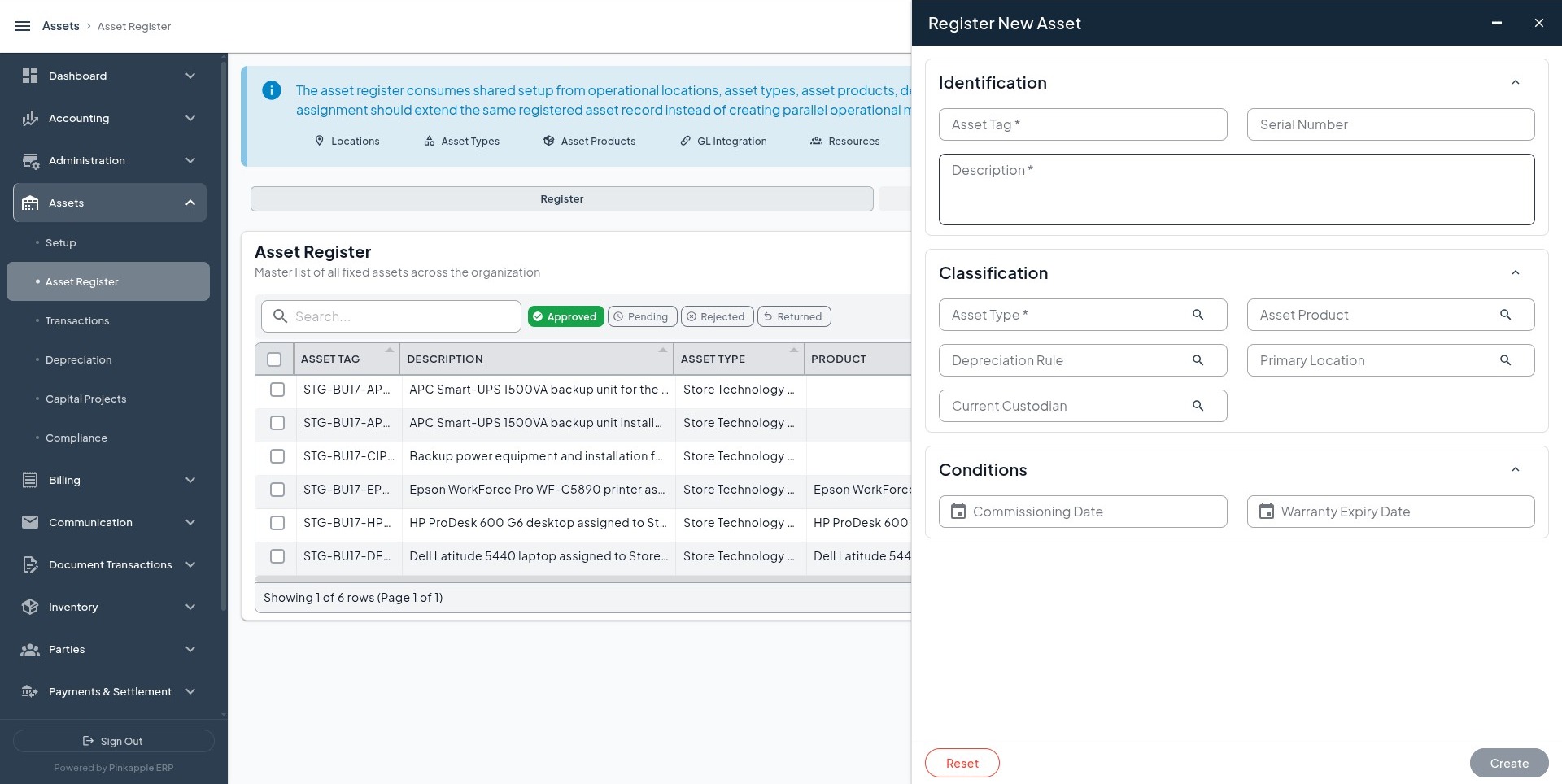
Register the four assets in Section 2. Confirm the submitted names, tags, classifications, locations, and dates. Complete approval where maker-checker approval is enabled.
Expected result: Four active asset records are visible.
Negative check: Submit an existing asset tag or serial number again. The second submission must be rejected or prevented from creating a duplicate.
Accounting expectation: None. Registration is master data and must not create a debit, credit, or valuation layer.
5.2 Add identifiers
Add the three identifiers in Section 2.3. Refresh the identifier list and confirm type, value, date, asset tag, and asset name. No journal or value change is expected.
5.3 Add a component relationship
Run only when the approved child asset exists. The parent must show one child relationship and the child must remain one asset. Linking a component alone must not create a journal.
5.4 Add warranties
Open: Asset detail -> Warranties -> Create Warranty
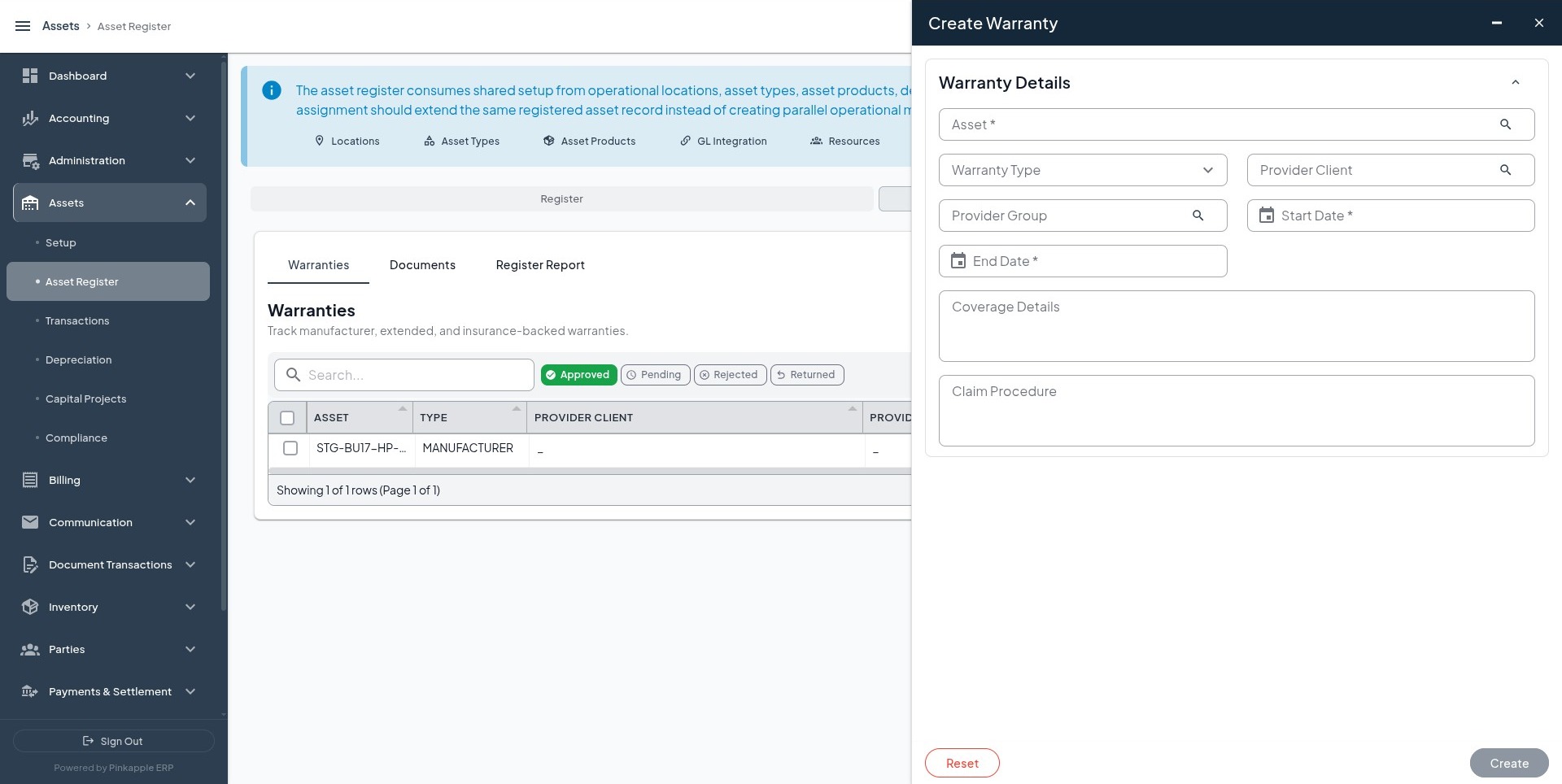
| Asset | Warranty type | Dates | Coverage |
|---|---|---|---|
| Dell Latitude 5440 finance laptop assigned to the Kampala Head Office | MANUFACTURER | Supporting document | Parts and labour for the Dell Latitude 5440 |
| HPE ProLiant DL380 Gen11 application server for the ICT Server Room | MANUFACTURER or SUPPLIER | Supporting document | Coverage stated on the support document |
| Toyota Hilux double cab assigned to field operations | MANUFACTURER or SUPPLIER | Supporting document | Coverage stated on the vehicle warranty document |
Warranty is operational evidence, not an insurance-premium or expense posting.
5.5 Add asset documents
Open: Asset detail -> Documents -> Create Asset Document
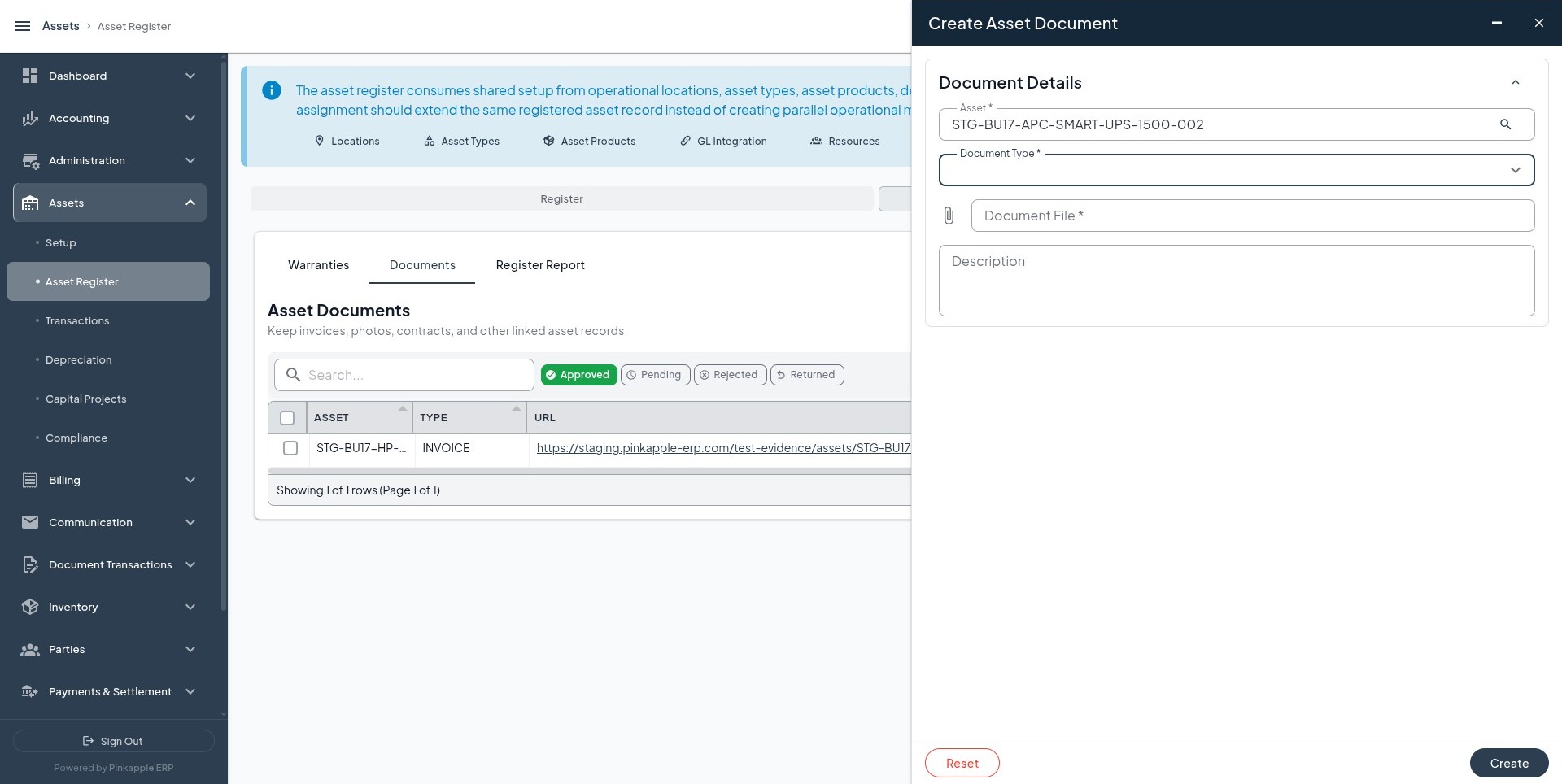
Refresh the document list and confirm file, type, description, uploader, upload date, and linked asset. Uploading a document does not post the invoice.
6. Module 2 - Asset Acquisition
Acquire the first three assets separately. Do not acquire the building shell in this module.
Open: Assets -> Transactions -> Acquisitions -> Record Acquisition
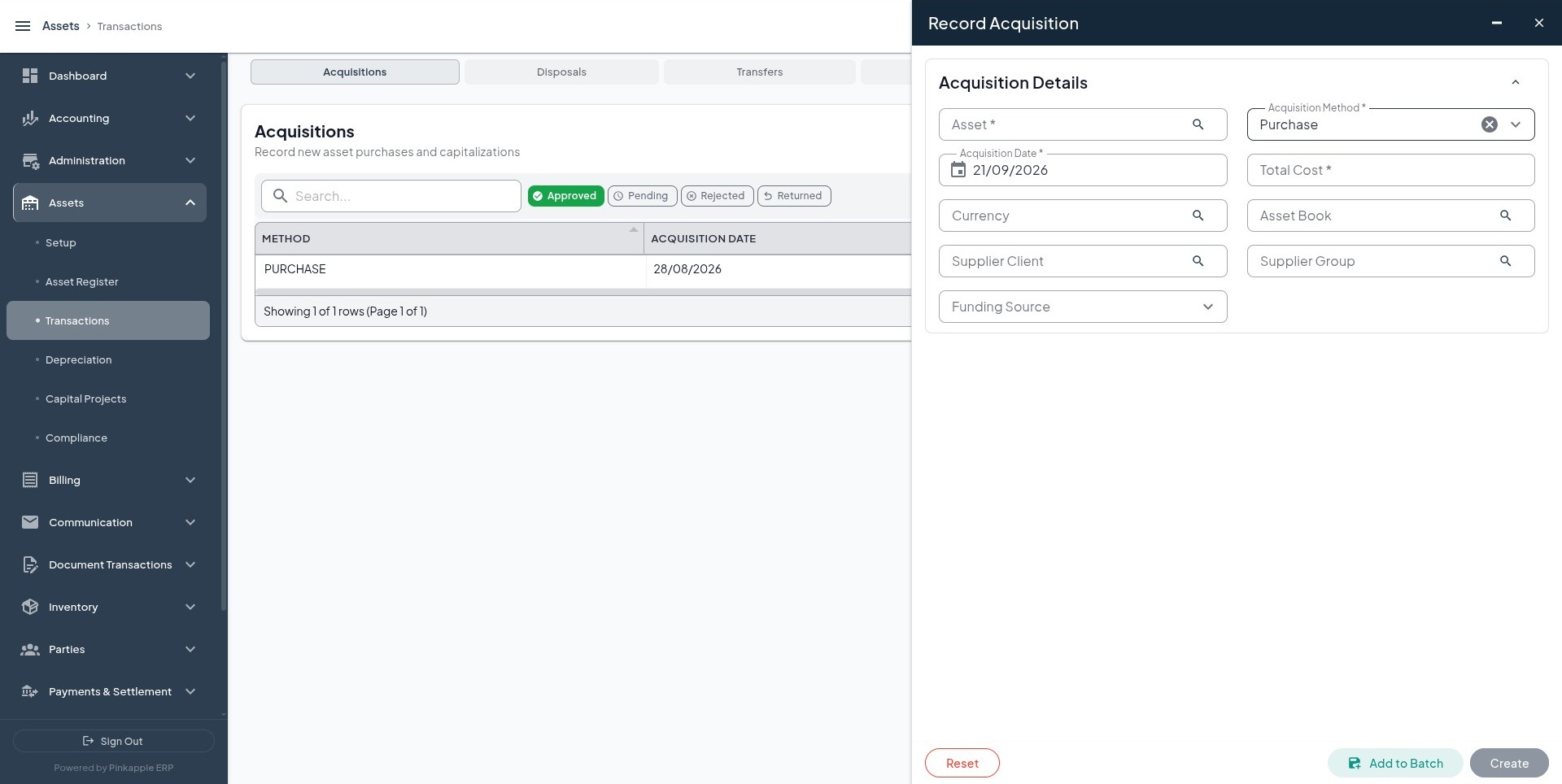
For each asset, use the values in Section 2.2 and the tenant's open accounting date. Confirm that the acquisition is approved or posted according to the tenant workflow.
| Expected debit | Expected credit | Reason |
|---|---|---|
| Fixed asset cost account configured for the asset type | Acquisition clearing, payable, bank, or cash account configured for the transaction | Recognizes asset cost and the approved funding or clearing source. |
Debit and credit totals must equal the submitted cost. The journal must belong to the selected company and business unit, use the tenant currency, and use the submitted accounting date.
Negative checks: Reject zero or negative cost, reject an unknown asset, and confirm that retrying the same transaction does not create a second asset, event, journal, or balance movement.
7. Module 3 - Depreciation
Run depreciation after acquisition and approval of the first three assets.
Open: Assets -> Depreciation -> Depreciation Runs -> Run Depreciation
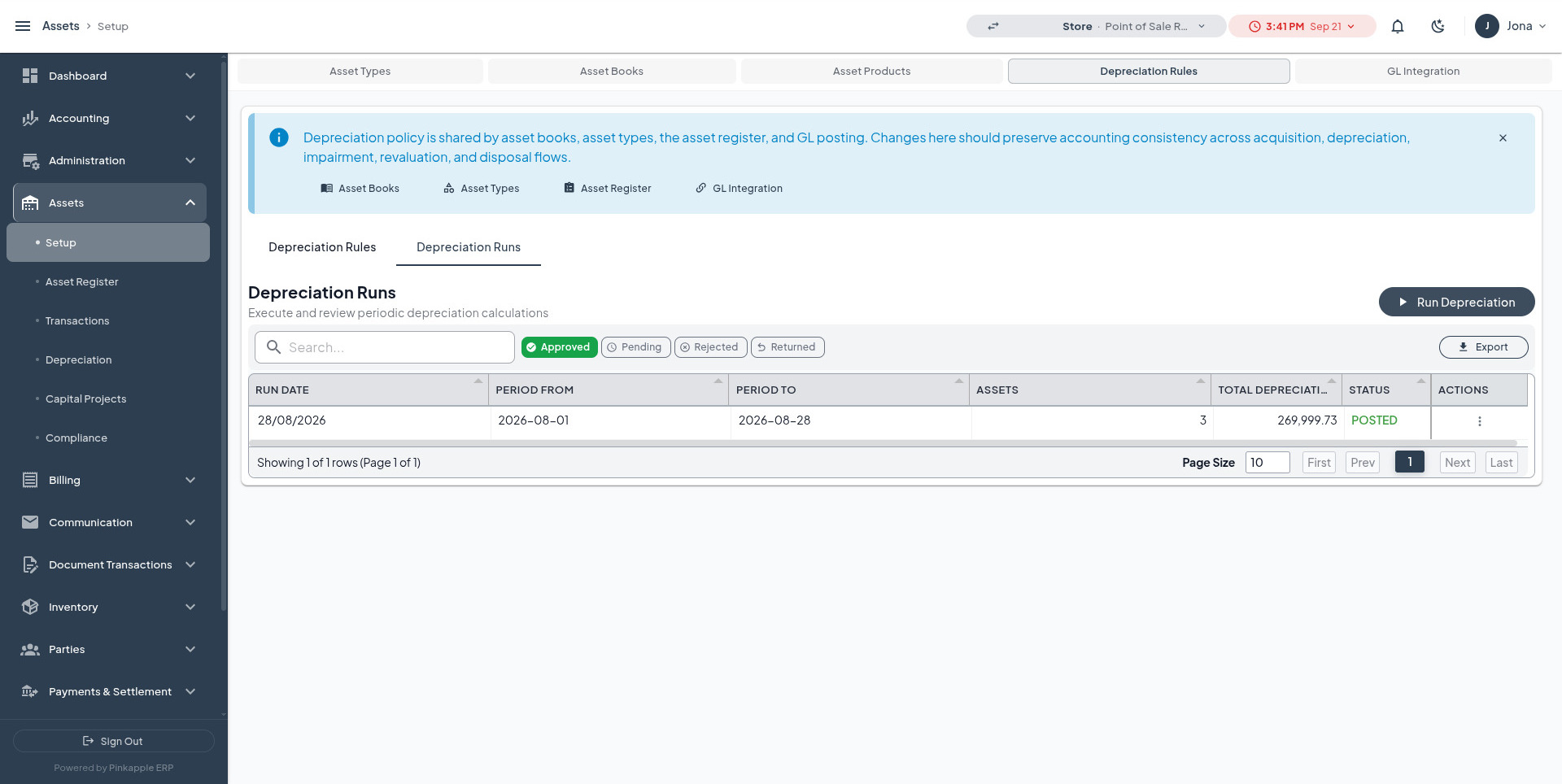
| Asset | Asset book | Asset type | Depreciation rule | Period | Expected basis |
|---|---|---|---|---|---|
| Dell Latitude 5440 finance laptop assigned to the Kampala Head Office | Accounting book | IT Equipment | Straight Line - 3 Years | Tenant open depreciation period | Approved cost, commissioning date, useful life, convention, and residual rate |
| HPE ProLiant DL380 Gen11 application server for the ICT Server Room | Accounting book | IT Equipment | Straight Line - 3 Years | Tenant open depreciation period | Approved cost, commissioning date, useful life, convention, and residual rate |
| Toyota Hilux double cab assigned to field operations | Accounting book | Motor Vehicles | Straight Line - 5 Years | Tenant open depreciation period | Approved cost, commissioning date, useful life, convention, and residual rate |
Confirm calculated amounts for each asset rather than expecting one fixed total.
| Expected debit | Expected credit | Reason |
|---|---|---|
| Depreciation expense account configured for the asset class | Accumulated depreciation account configured for the asset class | Records period expense and contra-asset balance. |
The run must show included assets, dates, amounts, approval state, and a balanced journal. Re-running the same book and period must be idempotent or clearly rejected; it must not double the expense.
8. Module 4 - Asset Transactions
Run each transaction independently with an open accounting date when it is expected to create an accounting event.
8.1 Transfer
Open: Assets -> Transactions -> Transfers -> Record Transfer
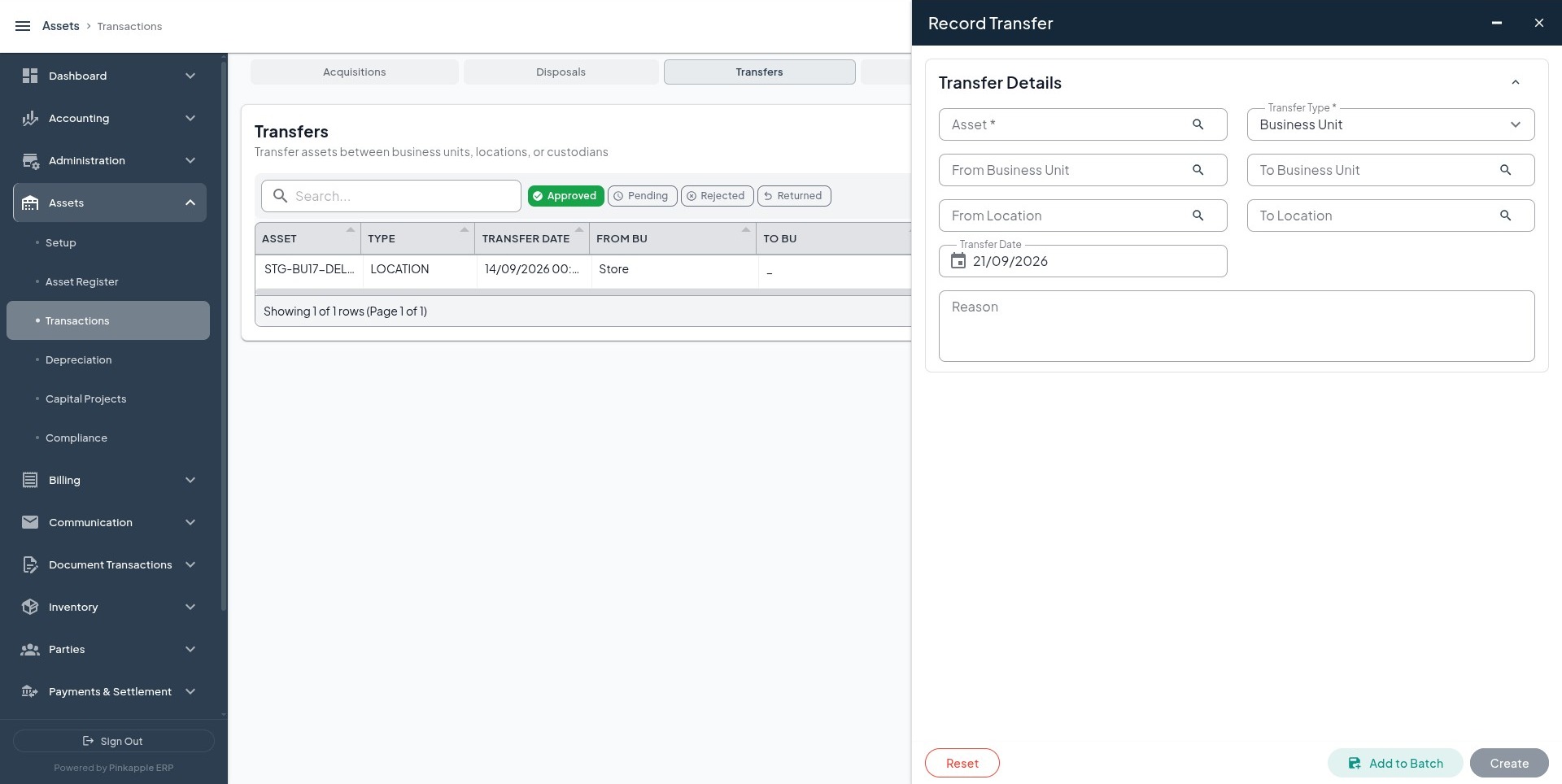
Transfer the Dell, HPE, and Toyota assets one at a time. The location and transfer history must change once; asset tag and carrying amount remain unchanged. A same-business-unit transfer normally has no journal unless tenant policy requires one.
8.2 Revaluation
Open: Assets -> Transactions -> Revaluations -> Record Revaluation
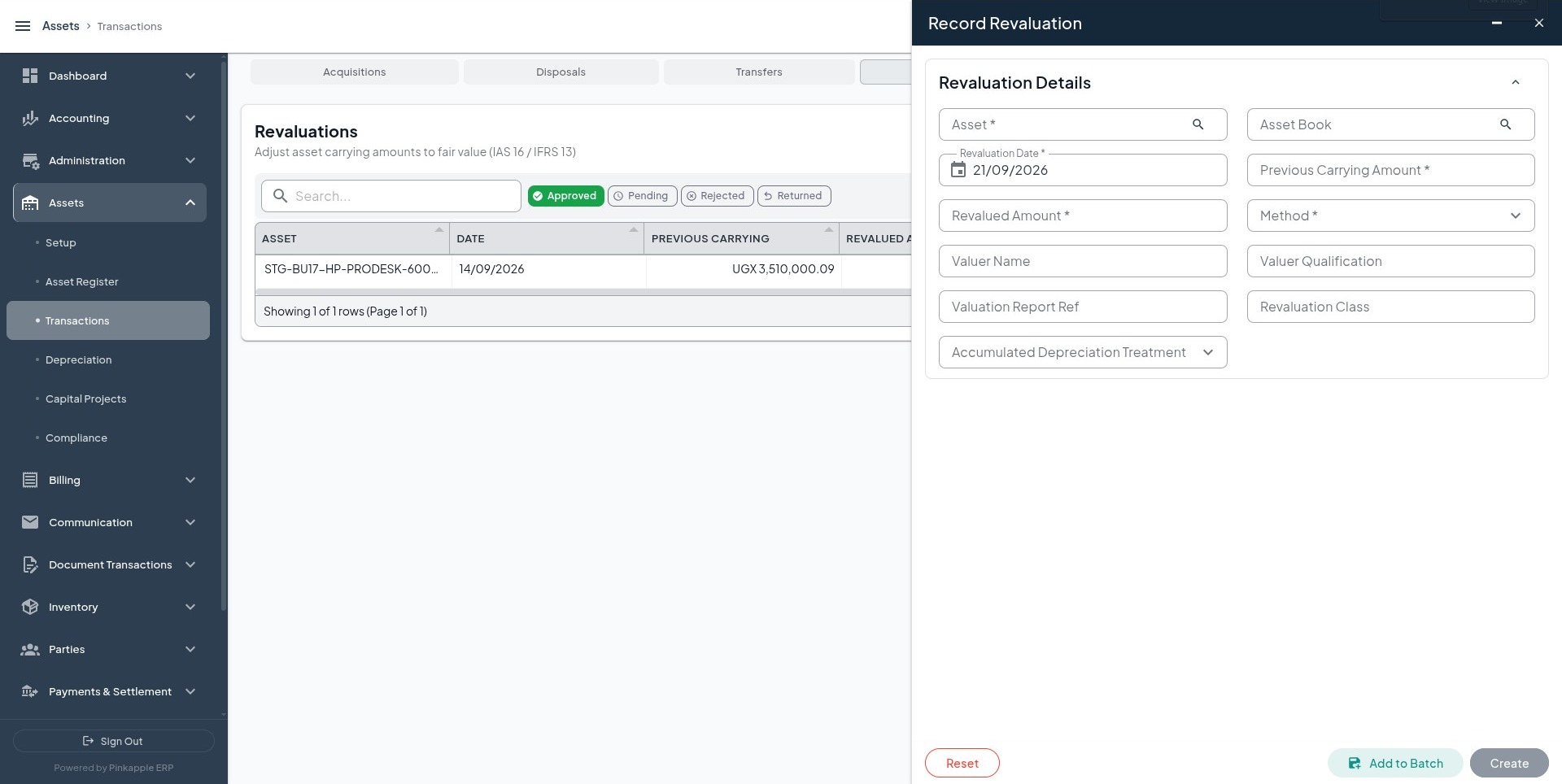
For each of the three physical assets, enter the current carrying amount shown in the UI, the tenant-approved new amount, the difference, date, explanation, and approval note. Do not enter a new value merely to force a posting.
8.3 Impairment
Open: Assets -> Transactions -> Impairments -> Record Impairment Test
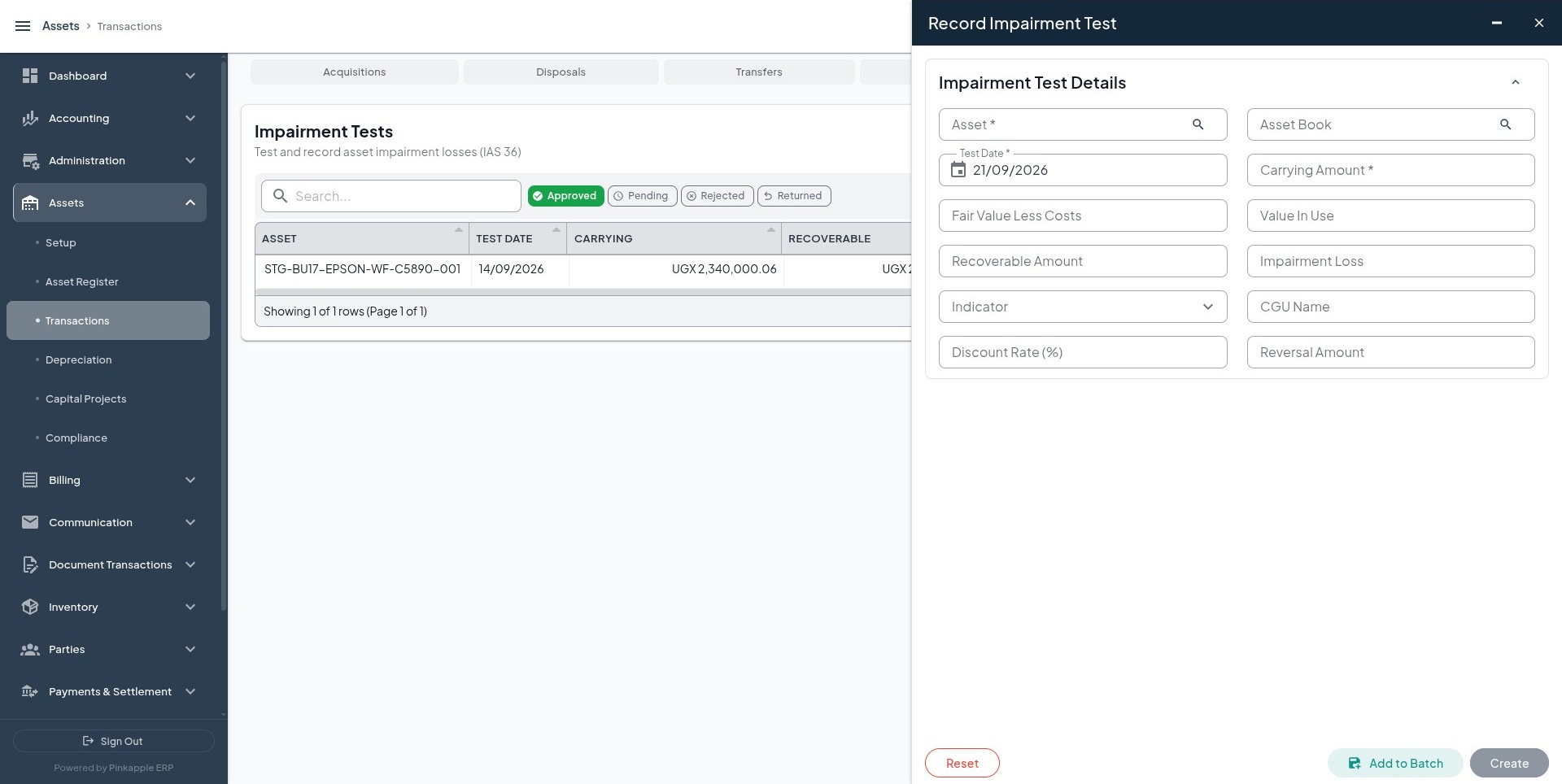
Use documented recoverable amounts for the Dell, HPE, and Toyota assets. The loss must equal carrying amount less recoverable amount, while original cost remains unchanged.
Expected accounting is a debit to the approved impairment-loss account and a credit to the approved accumulated-impairment or asset account. A missing posting rule must block the journal.
8.4 Disposal
Open: Assets -> Transactions -> Disposals -> Record Disposal
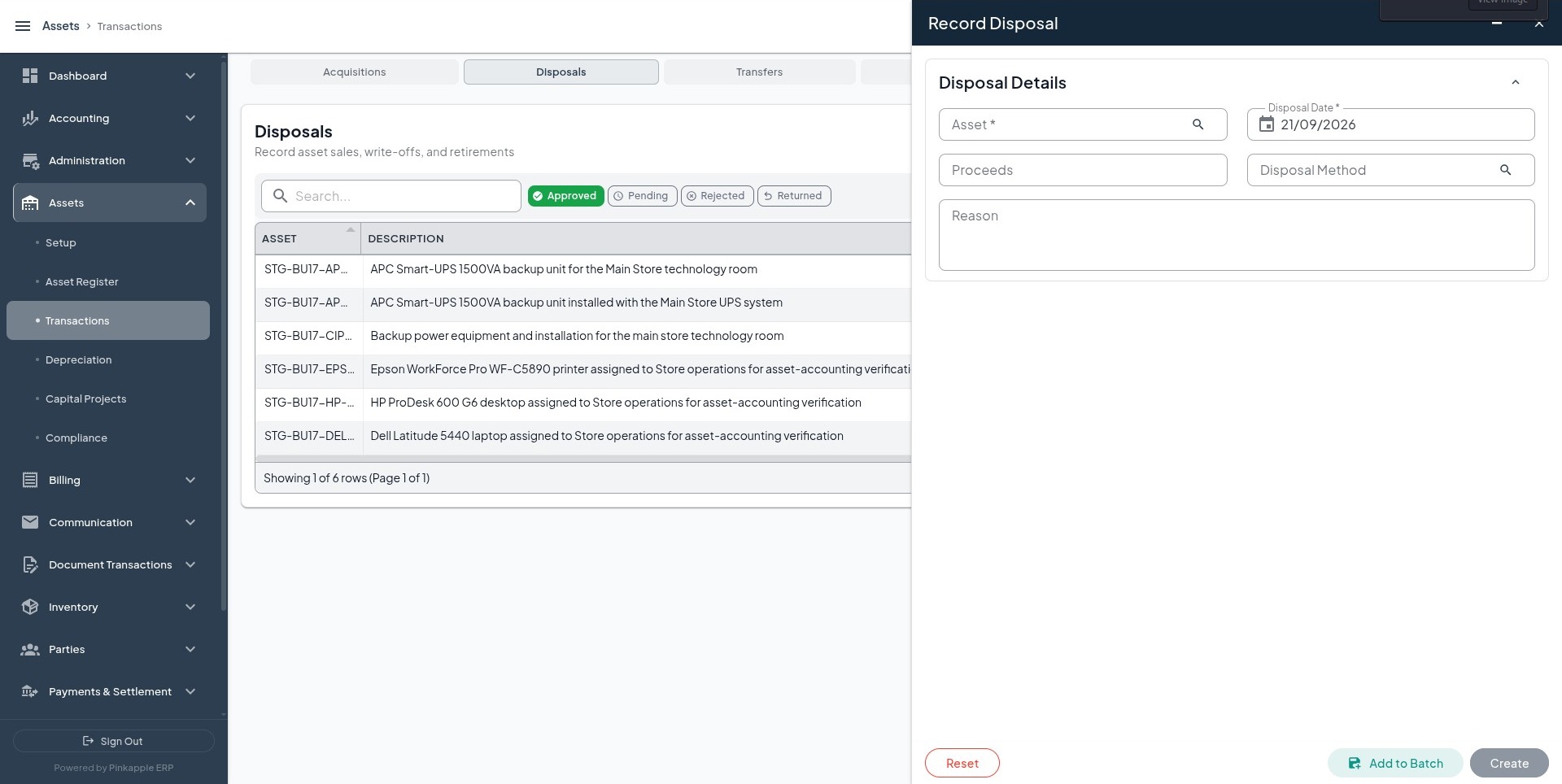
| Asset | Disposal method | Proceeds | Reason |
|---|---|---|---|
| Dell Latitude 5440 finance laptop assigned to the Kampala Head Office | Scrap / Salvage or tenant-approved method | Approved proceeds, or zero when scrapped | Approved retirement review |
| HPE ProLiant DL380 Gen11 application server for the ICT Server Room | Sale, Scrap / Salvage, or tenant-approved method | Supporting-document proceeds | Approved retirement review |
| Toyota Hilux double cab assigned to field operations | Scrap / Salvage | UGX 90,000,000 where supported by disposal evidence | Approved retirement review |
The selected asset must become DISPOSED and remain available for audit. Inspect proceeds, original-cost derecognition, accumulated-depreciation clearance, and gain or loss.
9. Module 5 - Depreciation and accounting review
Review these screens after the depreciation run and asset transactions:
| Screen | What to inspect |
|---|---|
| Depreciation Runs | Run date, book, asset type, status, included assets, and total depreciation. |
| Depreciation schedule | Per-asset amount, accumulated amount, and remaining carrying value. |
| Asset Register | Original cost, accumulated depreciation, current carrying value, and lifecycle stage. |
| Financial events | Event type, amount, approval, posting rule, and journal linkage. |
| Accounting journal list | Posting date, business unit, currency, debit account, credit account, and totals. |
| Daily and monthly balances | Owning business-unit balances agree with posted journal totals. |
Original cost must remain equal to approved acquisition cost. Depreciation must appear in accumulated depreciation and depreciation expense, not as a rewrite of original cost. Review each book separately when multiple books are enabled.
10. Module 6 - Advanced tracking
These modules extend asset history. A saved operational record is not automatically a journal. Inspect financial events and journals only when the tenant's configured workflow expects posting.
Lease
Open: Asset detail -> Leases -> Create Asset Lease
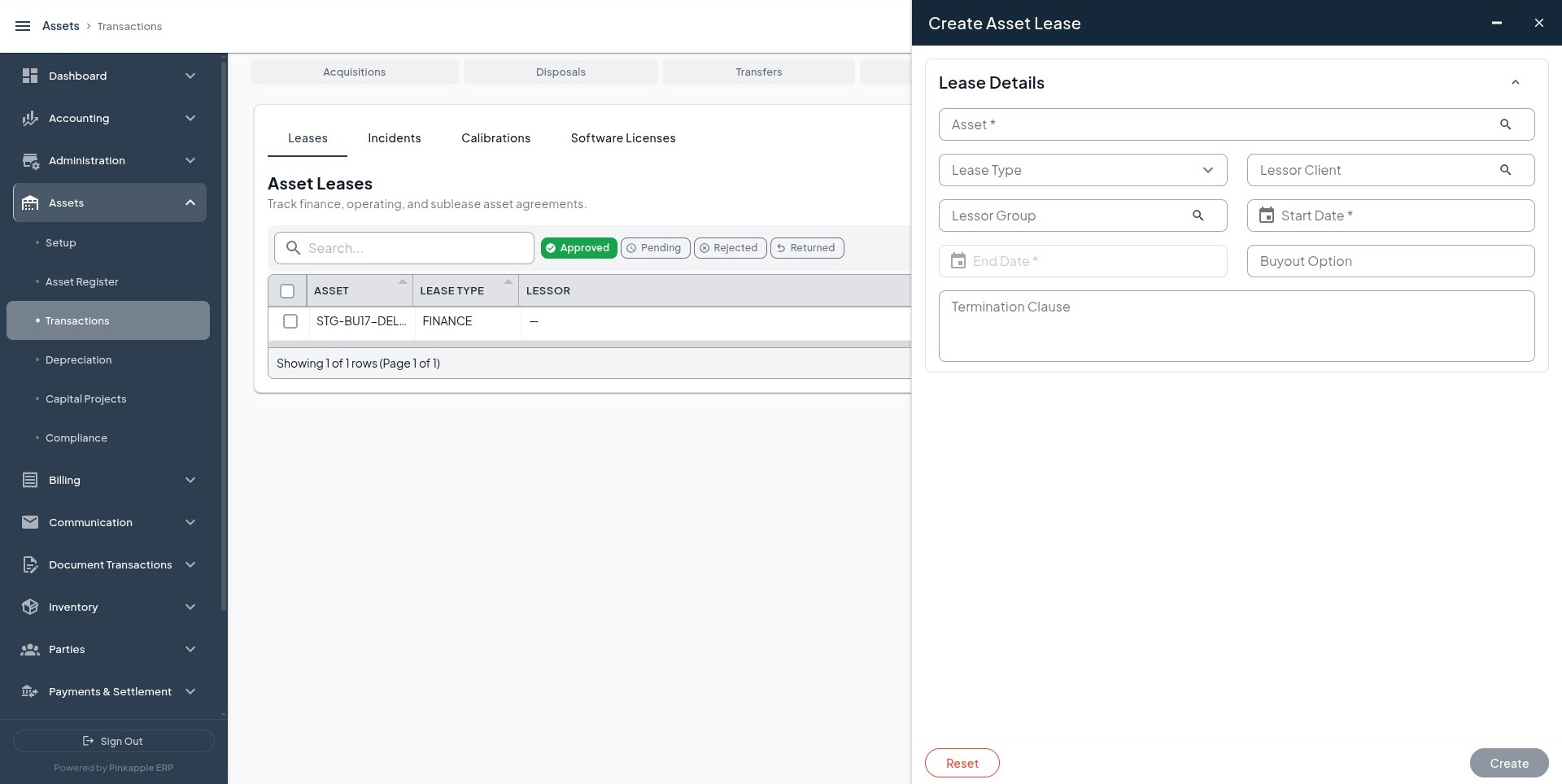
Record lease type, agreement dates, liability amount, payment, and rate only when supported by the agreement. A lease schedule is not proof of a right-of-use asset or liability journal; verify recognition separately against tenant policy.
Incident
Open: Asset detail -> Incidents -> Create Asset Incident
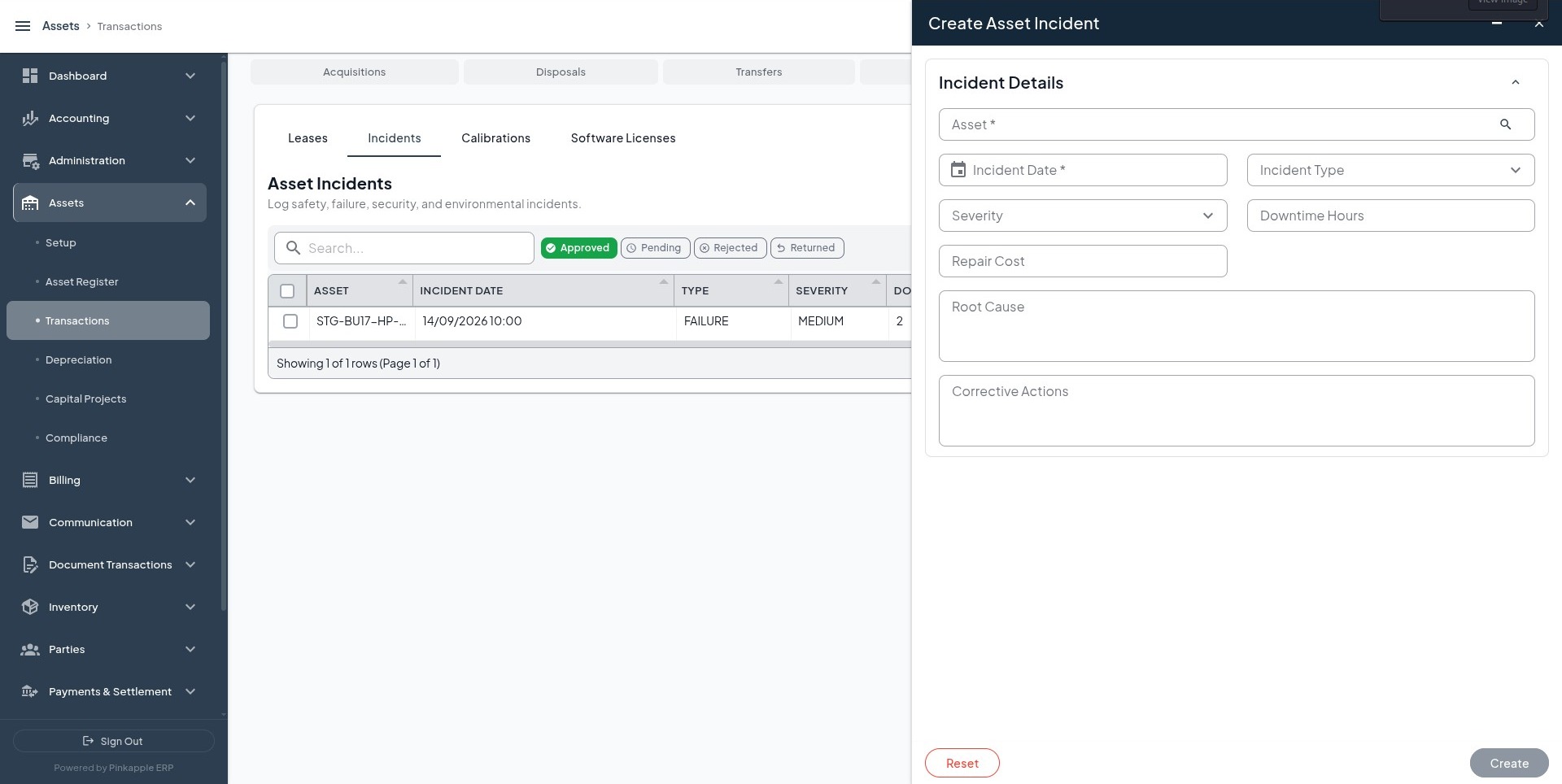
Use the HPE application-server example when supported: equipment failure, severity MEDIUM, two hours downtime when applicable, and UGX 180,000 repair cost when supported. Repair costs follow the approved maintenance, payable, or expense workflow.
Calibration
Open: Asset detail -> Calibrations -> Create Asset Calibration
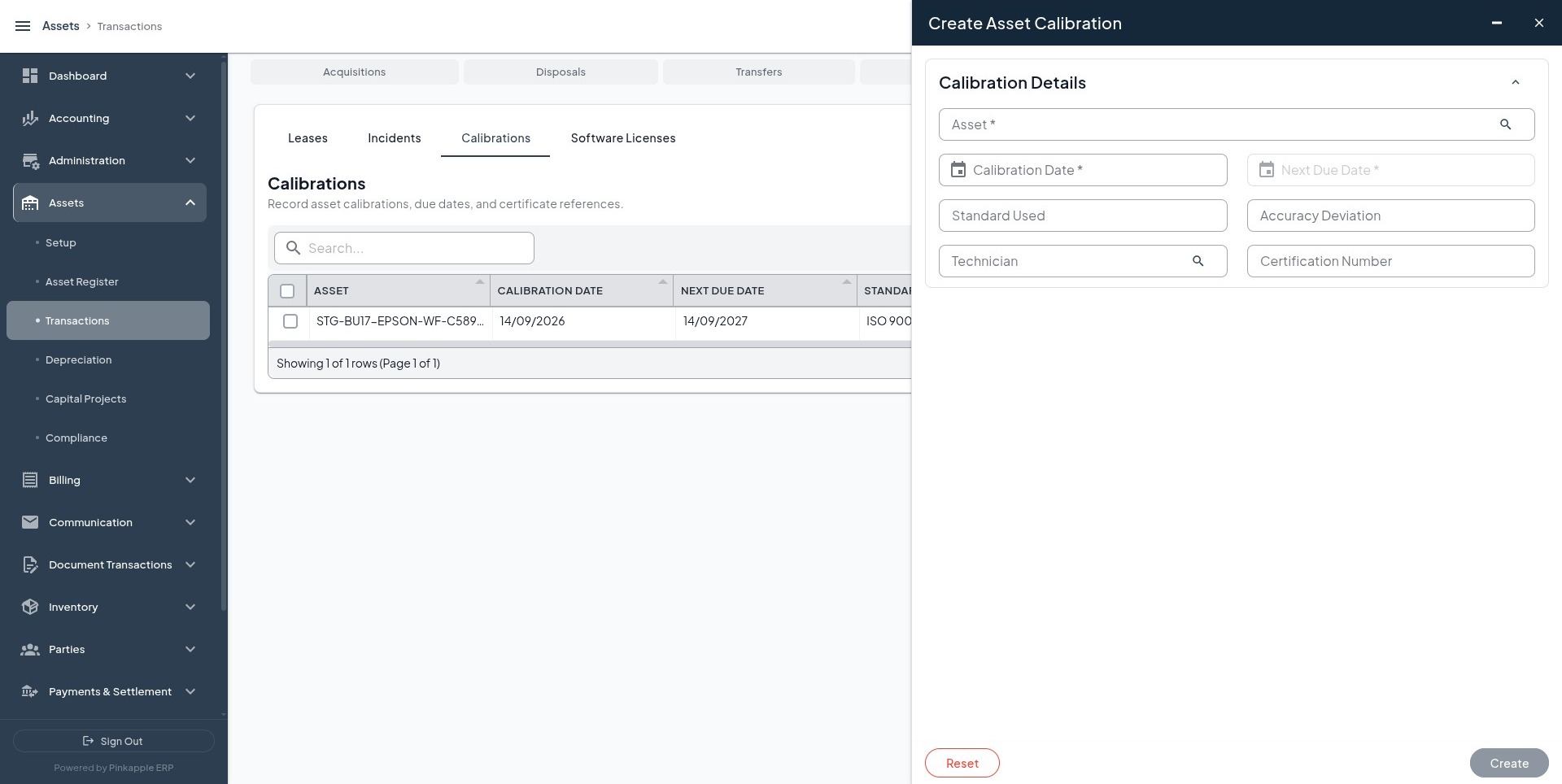
Capture date, next due date, standard, result or deviation, and approved technician. Calibration is compliance history and has no automatic journal.
Software license
Open: Asset detail -> Software Licenses -> Create Software License
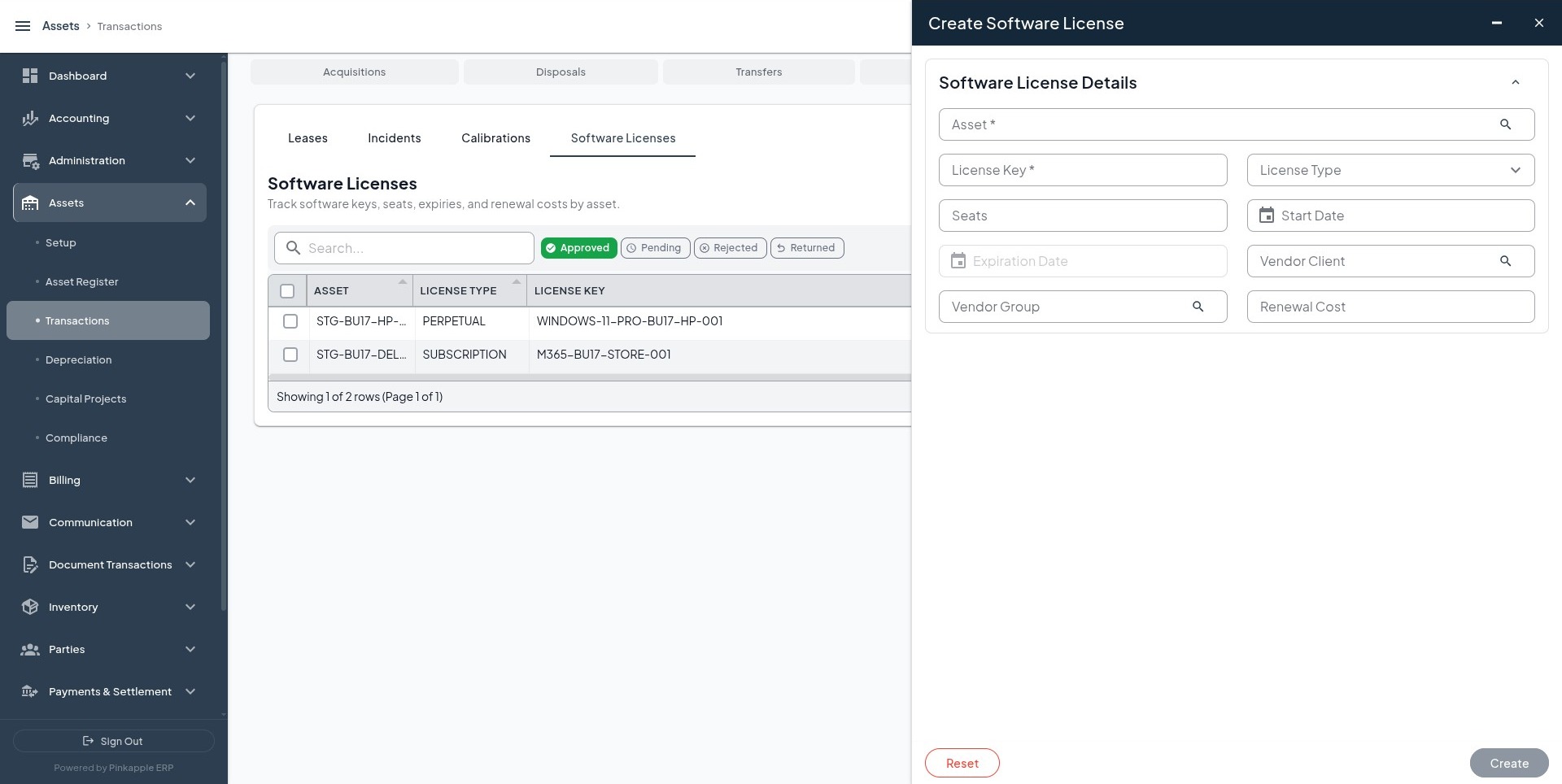
For the Dell asset, use Microsoft 365 Business Standard when applicable. For other assets, use the tenant's real license number, dates, quantity, and vendor. If none exists, mark the row Not Applicable.
11. Module 7 - Capital projects and capitalization
Use the building shell for this module so it is not acquired twice.
11.1 Create a CIP project
Open: Assets -> Capital Projects -> CIP -> Create CIP Project
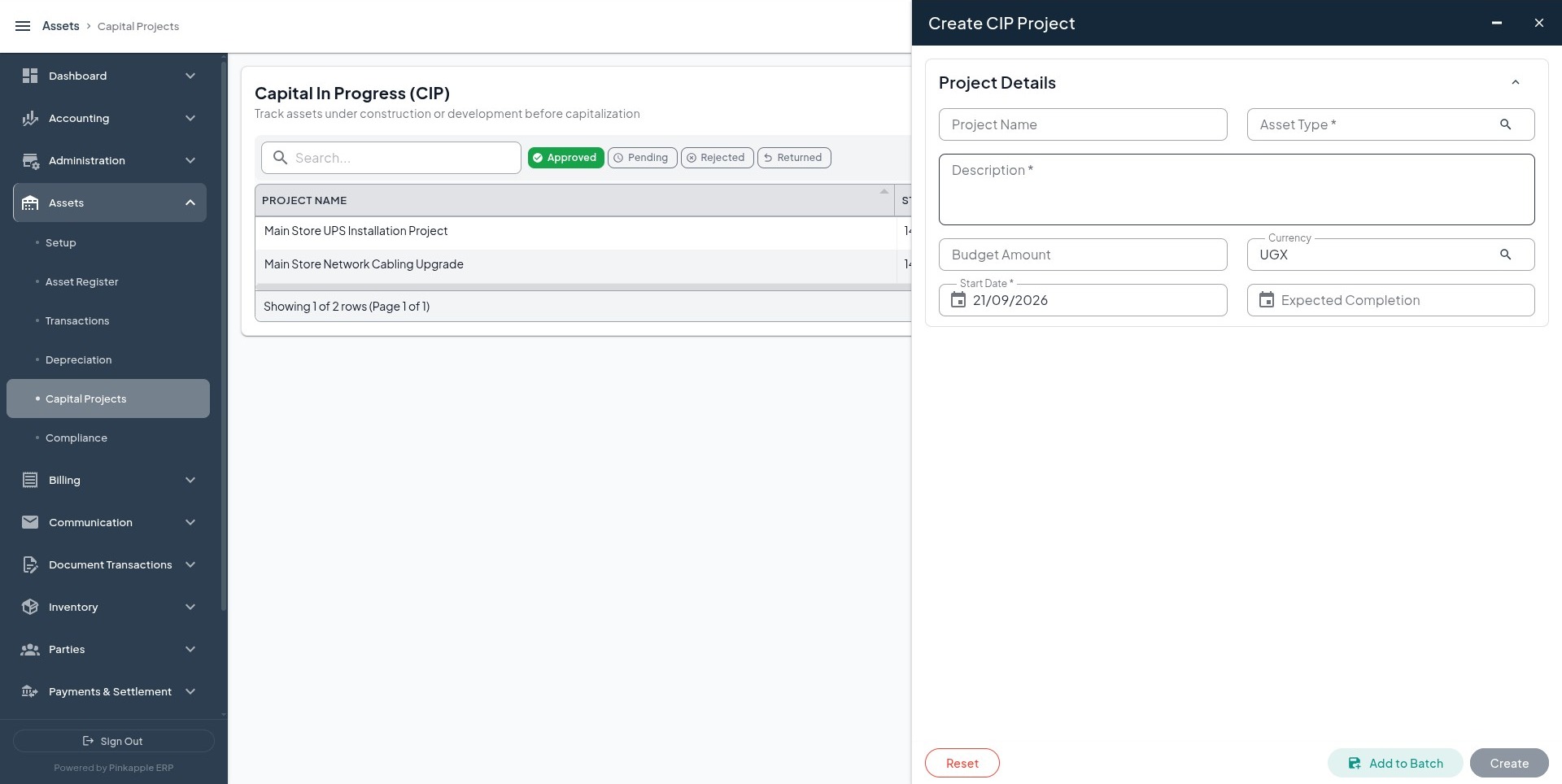
| Field | Value to enter |
|---|---|
| Project name | Kampala Branch Office Building Completion Project |
| Project code | CIP-KAMPALA-BRANCH-2026-001 |
| Start date | Tenant project start date |
| Expected completion | Tenant approved completion date |
| Budget | UGX 300,000,000 or tenant-approved project budget |
| Business unit | Business unit that owns the Kampala branch |
| Description | Complete the Kampala branch office building shell for operational use |
The project must be approved and visible in Capital Projects -> CIP.
11.2 Add a CIP cost line
| Project | Cost type | Amount | Currency | Cost date | Description |
|---|---|---|---|---|---|
| Kampala Branch Office Building Completion Project | Eligible project cost type | UGX 25,000,000 or approved cost | Tenant base currency | Tenant open accounting date | Construction materials and professional services for the Kampala branch office |
The project cost must increase once and remain visible. A cost line is not automatically a capitalization posting.
11.3 Capitalize the completed project
Select the approved project, open accounting date, Commercial Buildings type, FA-BLD-001, Kampala Branch Office Building Shell, approved branch location, and the final description.
Expected accounting is normally a debit to the Commercial Buildings fixed-asset cost account and a credit to Construction in Progress. The project must be marked capitalized, the asset must appear in the register, and the project balance must reduce or close according to the workflow. Missing or unapproved mappings must leave the event pending or reject it.
12. Module 8 - Compliance and supporting operations
12.1 Maintenance
Open: Assets -> Compliance -> Maintenance -> Log Maintenance Activity
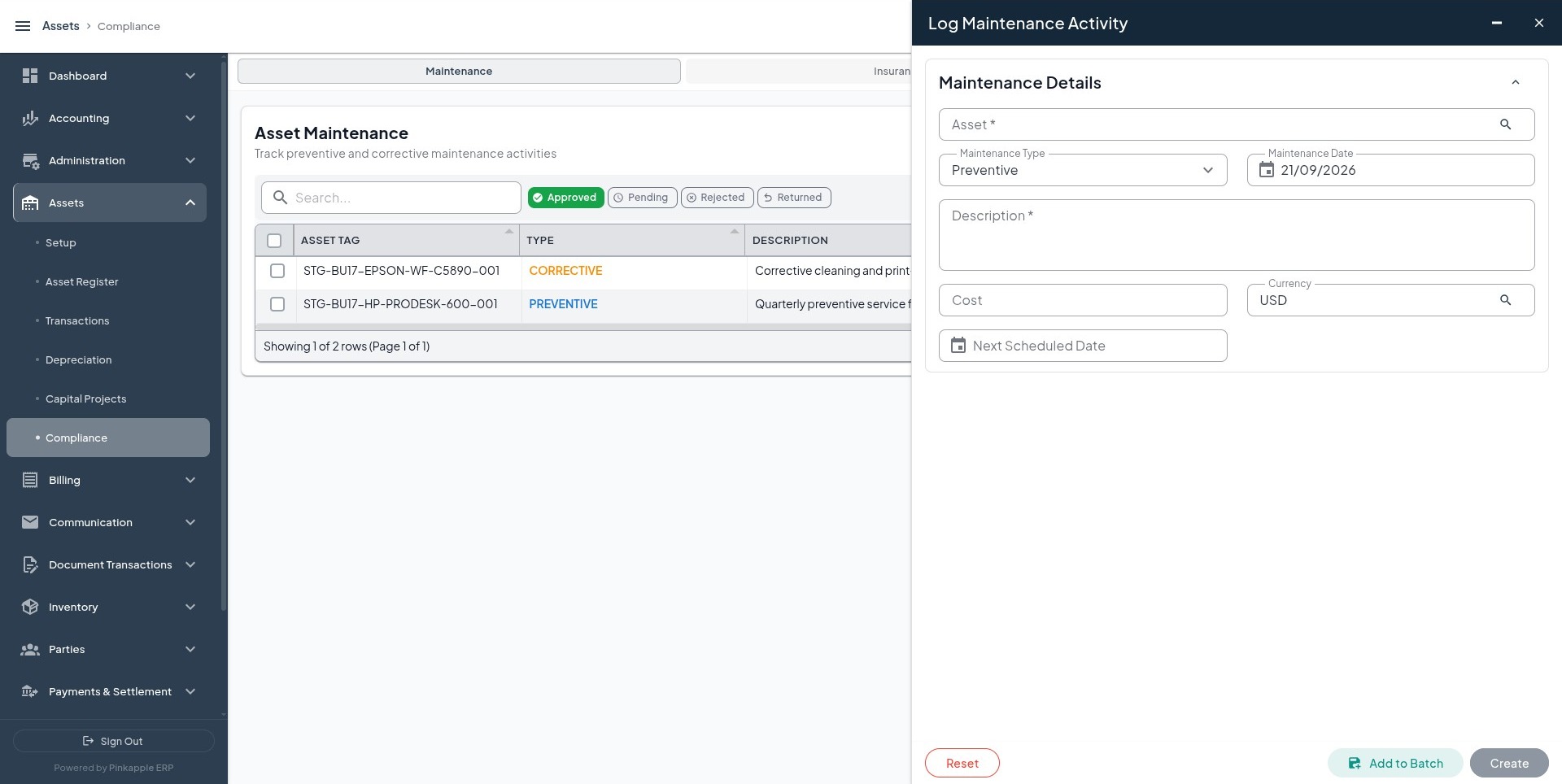
| Asset | Maintenance type | Date | Cost | Next scheduled date | Description |
|---|---|---|---|---|---|
| Dell Latitude 5440 finance laptop assigned to the Kampala Head Office | PREVENTIVE | Tenant maintenance date | UGX 150,000 when supported | Six months after maintenance date | Preventive cleaning and inspection of the finance laptop |
| HPE ProLiant DL380 Gen11 application server for the ICT Server Room | CORRECTIVE | Tenant repair date | UGX 85,000 when supported | Tenant review date | Corrective power-supply service for the application server |
Maintenance records normally capture service history. Post any cost separately through the approved maintenance, payable, or expense workflow and verify that journal independently.
12.2 Insurance policy and asset links
Create one policy only when an approved insurance document exists.
| Policy field | Value |
|---|---|
| Policy number | Tenant policy number |
| Insurer | Tenant insurer |
| Policy type | ALL_RISK when supported by the policy |
| Start and end dates | Policy dates |
| Annual premium | UGX 600,000 when supported by the policy |
Link the policy to the Dell, HPE, Toyota, and building assets when covered. Creating coverage does not post an insurance premium; use the approved expense or prepaid-insurance workflow for that cost.
12.3 Physical verification
Open: Assets -> Compliance -> Verification -> Create Physical Verification
Create one verification with one line for each physically inspected asset:
| Verification field | Value |
|---|---|
| Verification date | Date of physical inspection |
| Location | Approved location being inspected |
| Asset type | IT Equipment, Motor Vehicles, or Commercial Buildings |
| Line status | FOUND for each asset physically present |
| Condition | GOOD or actual inspected condition |
The verification must attach one line to each inspected asset. It must not change asset cost or create a journal by itself.
13. Accounting verification
Use this verification table after every operation expected to post.
| Verification | What to confirm |
|---|---|
| Journal date | Matches the open accounting date used in the test. |
| Company and business unit | Belongs to the selected tenant and owning business unit. |
| Currency | Every line uses the selected tenant currency unless approved conversion was intended. |
| Narration | Clearly identifies the visible asset name and action. |
| Debit and credit | Totals are exactly equal. |
| Account names | Match the tenant's approved asset policy and posting mapping. |
| Sub-ledger | Present only where the posting rule requires one. |
| Daily and monthly balances | Move on the expected debit and credit accounts. |
| Duplicate check | Retry does not create a second journal. |
| Event linkage | Journal can be traced back to the asset financial event. |
Expected account effects
| Operation | Expected debit | Expected credit | Journal expectation |
|---|---|---|---|
| Registration, identifier, component, warranty, document | None | None | No automatic journal. |
| Acquisition | Fixed-asset cost account | Acquisition clearing, payable, bank, or cash account | Yes when mapping and date are valid. |
| Depreciation | Depreciation expense account | Accumulated depreciation account | Yes when the run posts. |
| Same-business-unit transfer | None | None | Usually no journal. |
| Revaluation | Approved policy account | Approved policy account | Only with approved mapping. |
| Impairment | Approved impairment-loss account | Approved accumulated-impairment or asset account | Only with approved mapping. |
| Disposal | Approved proceeds and derecognition accounts | Approved proceeds and derecognition accounts | Only with valid mapping and date. |
| Lease | Approved lease-policy accounts | Approved lease-policy accounts | Only when recognition is configured. |
| Incident, calibration, license | None | None | No automatic journal. |
| CIP cost line | Approved CIP policy account | Approved payable, cash, or clearing account | Depends on tenant configuration. |
| CIP capitalization | Fixed-asset cost account | Construction in Progress account | Requires approved mapping. |
| Maintenance, insurance, verification | None | None | No automatic journal from the operational record. |
Do not infer an account from the operation name. Read the account names shown by the journal and compare them with the tenant's approved mapping.