
Appearance
ASSET SETUP
Configure the Asset Foundation
Create the reusable depreciation, classification, valuation, and product records before registering any physical asset.
Why this order matters
Asset types and products use depreciation rules. Asset registration then uses the approved type, product, book, rule, and location. Create or select each prerequisite before moving to the next section.
1. Depreciation Rules
A depreciation rule tells Pinkapple how the carrying value of an asset is reduced over time. It is selected by an asset type or an individual asset and is used when a depreciation run is created.
Open: Assets -> Setup -> Depreciation Rules -> New Depreciation Rule
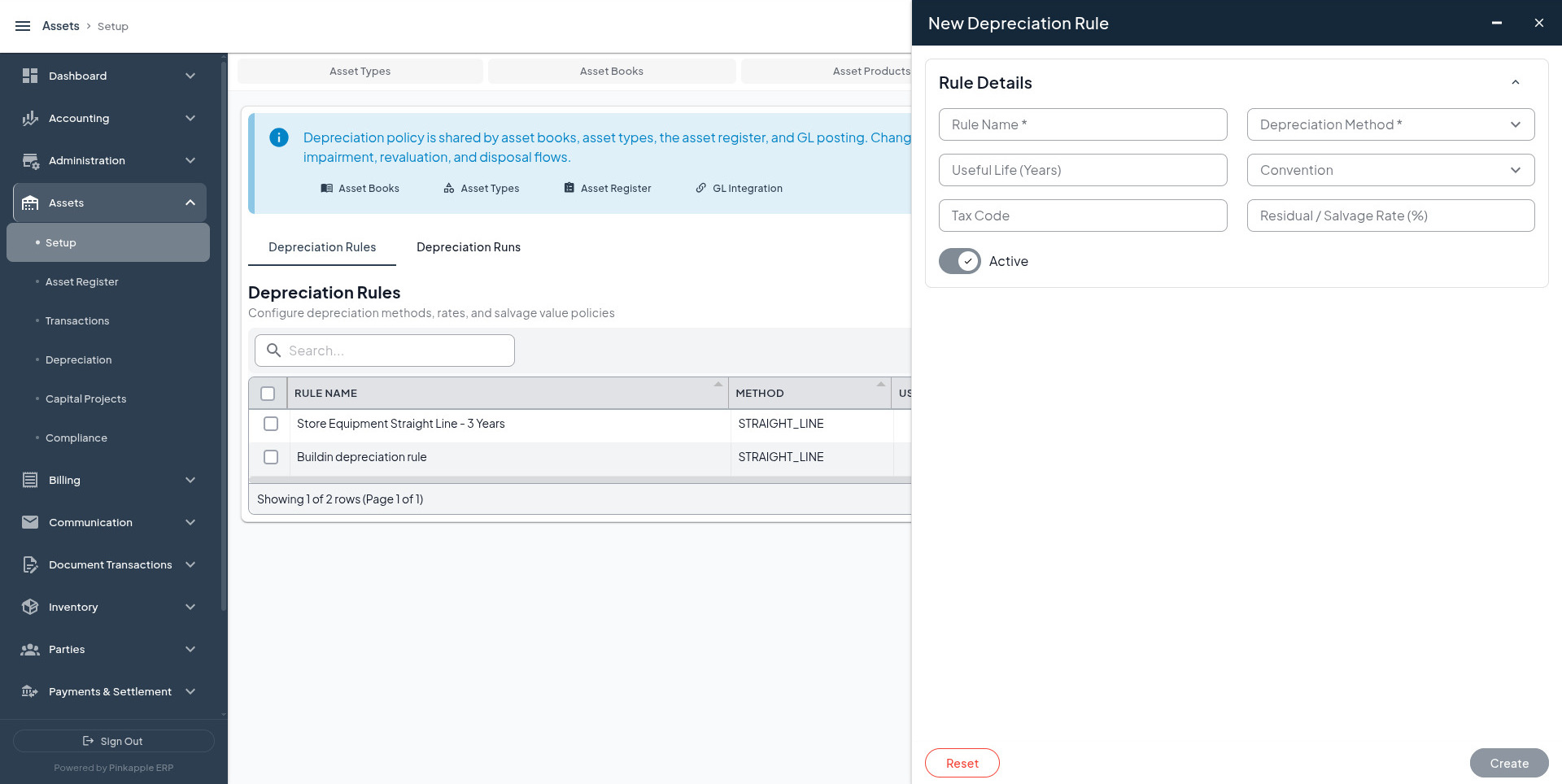
Create these rules
| Reference | Rule name | Method | Life | Convention | Tax code | Residual | Active |
|---|---|---|---|---|---|---|---|
DEP-IT | IT Equipment - Straight Line - 3 Years | Straight Line | 3 Years | Actual | Leave blank | 5% | On |
DEP-VEHICLE | Motor Vehicles - Straight Line - 5 Years | Straight Line | 5 Years | Actual | Leave blank | 10% | On |
DEP-BUILDING | Commercial Buildings Straight Line | Straight Line | 40 Years | Actual | Leave blank | 5% | On |
Why these examples are useful: IT tests predictable monthly depreciation for laptops and servers; Motor Vehicles tests a higher-value asset; Commercial Buildings supports the capital-project path.
2. Asset Types
An asset type groups similar assets and defines their classification, lifecycle, capitalization threshold, and default depreciation policy.
Open: Assets -> Setup -> Asset Types -> Add Asset Type
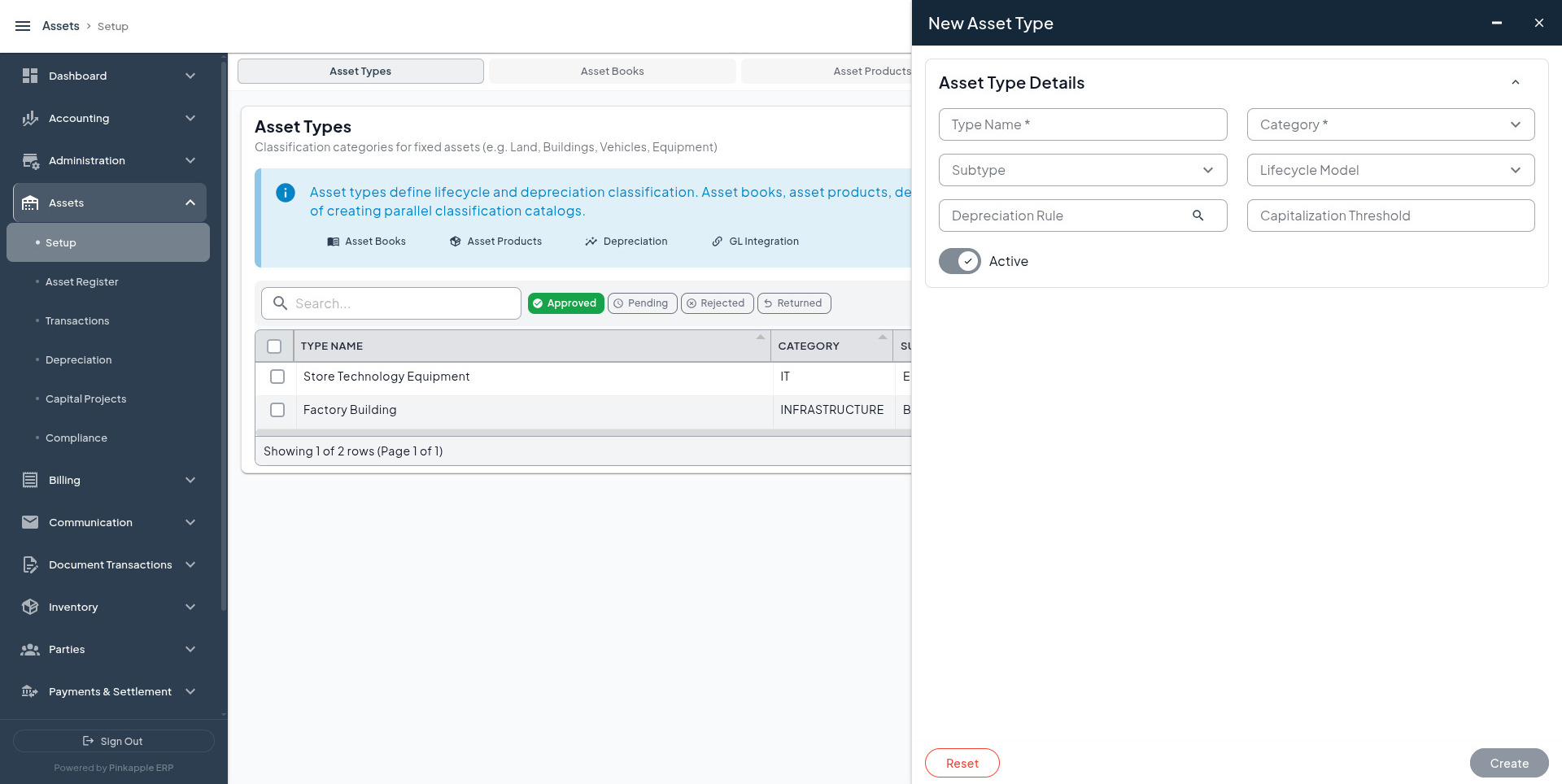
Create these asset types
| Reference | Type name | Category | Subtype | Lifecycle | Depreciation rule | Capitalization threshold | Active |
|---|---|---|---|---|---|---|---|
TYPE-IT | IT Equipment | IT Equipment | IT Equipment | Standard | DEP-IT | UGX 500,000 | On |
TYPE-VEHICLE | Motor Vehicles | Tangible | Vehicle | Standard | DEP-VEHICLE | UGX 2,000,000 | On |
TYPE-BUILDING | Commercial Buildings | Infrastructure | Building | Standard | DEP-BUILDING | UGX 50,000,000 | On |
After saving, confirm that the type is active and approved where maker-checker approval is enabled.
3. Asset Books
An asset book stores asset values under a reporting basis. A company may use separate books for financial reporting, tax reporting, and internal management reporting.
Open: Assets -> Setup -> Asset Books -> Add Asset Book
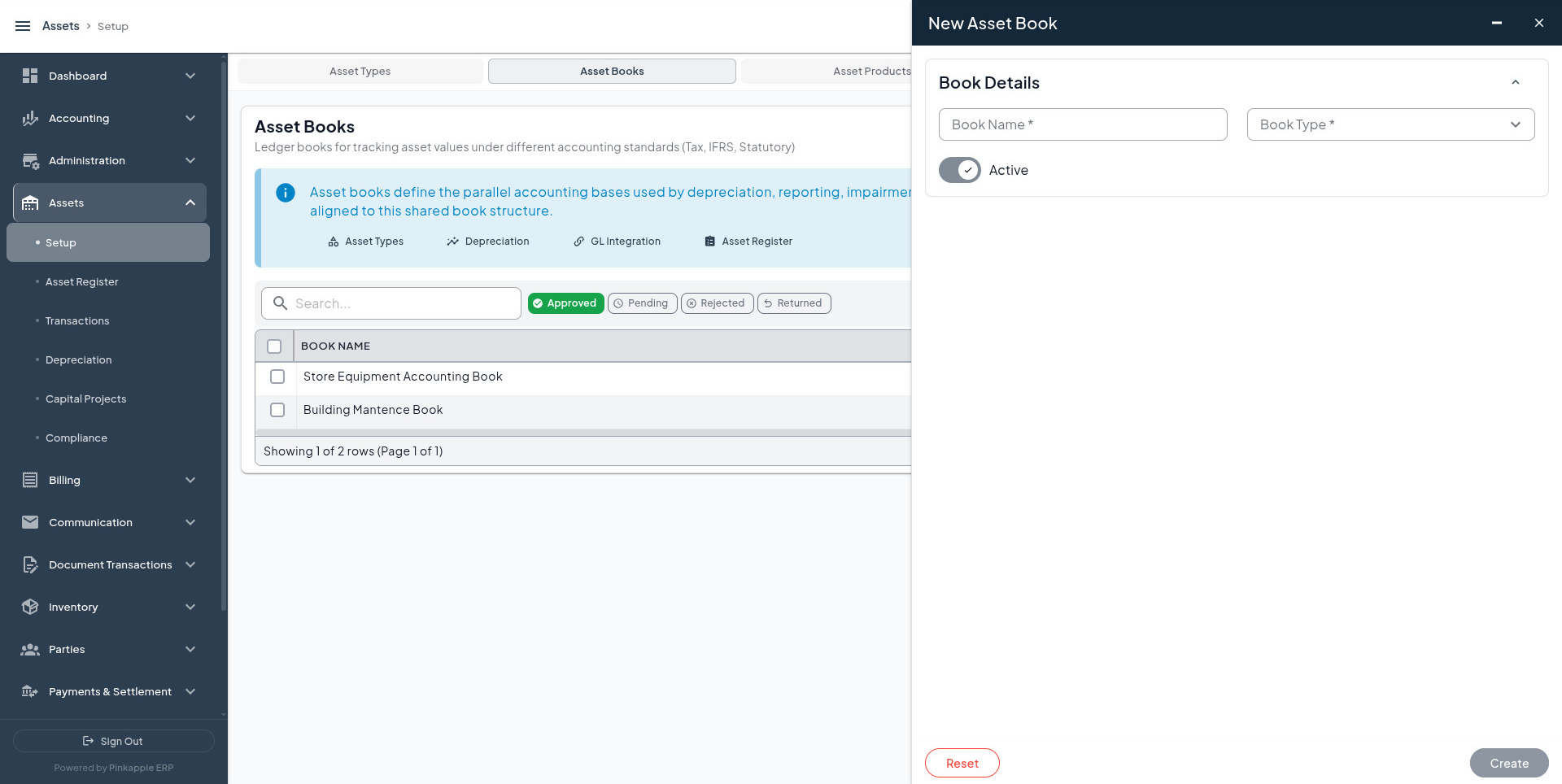
Create these books
| Reference | Book name | Book type | Active |
|---|---|---|---|
BOOK-ACCOUNTING | Uganda Financial Reporting Book - 2026 | Accounting | On |
BOOK-TAX | Uganda Tax Book - 2026 | Tax | On |
BOOK-MANAGEMENT | Uganda Management Reporting Book - 2026 | Management | On |
Use the tenant's approved base currency and reporting year when the form requires additional fields. Do not create a tax or management book when the tenant does not use that reporting basis.
4. Asset Products
An asset product is a reusable template for a class of individual assets. It does not represent the physical asset in the register. For example, Dell Latitude 5440 is a product, while FA-IT-001 is one physical laptop.
Open: Assets -> Setup -> Asset Products -> Add Asset Product
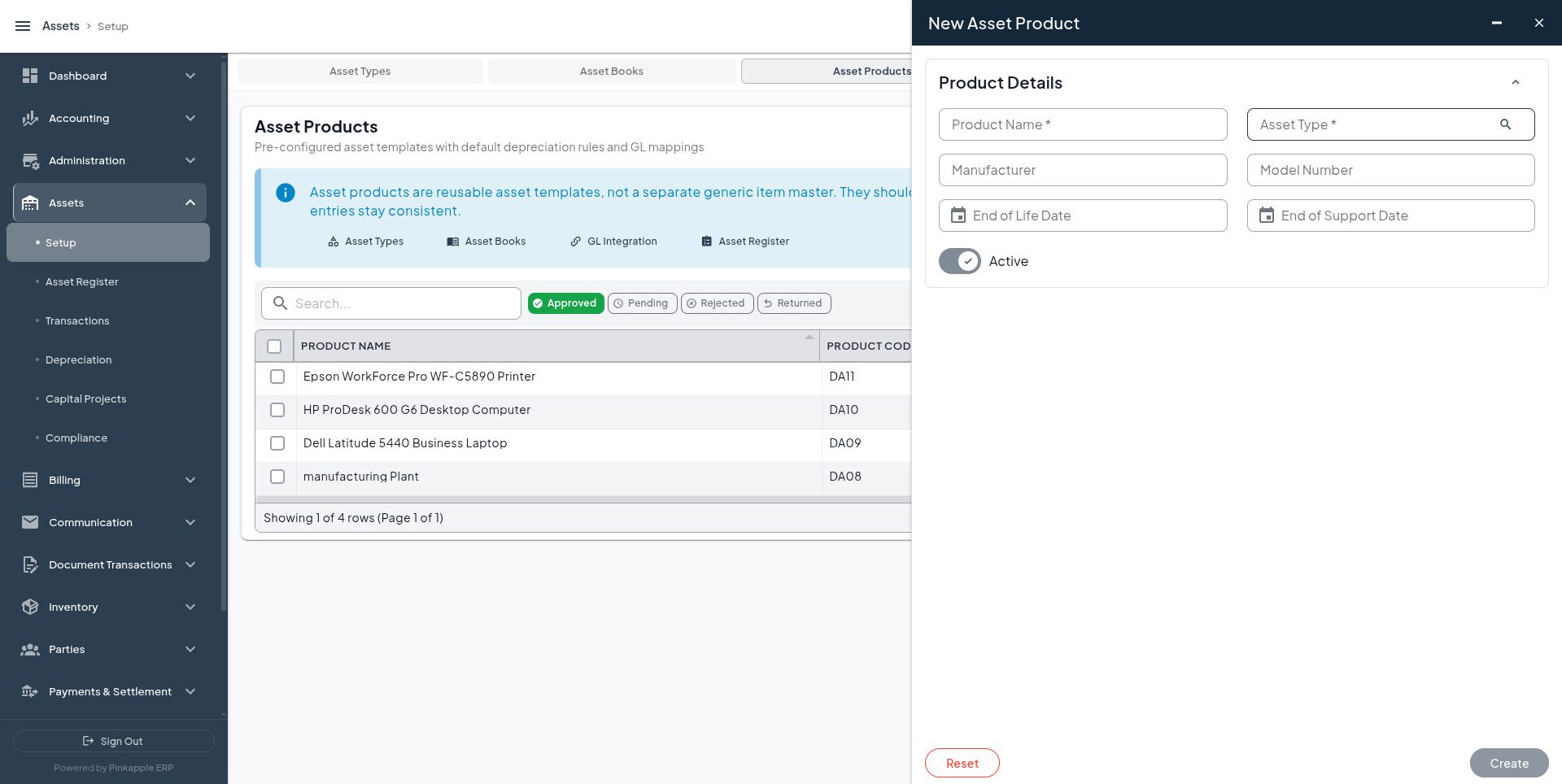
Create these products
| Reference | Product name | Asset type | Manufacturer | Model number | End of life | End of support | Active |
|---|---|---|---|---|---|---|---|
PRODUCT-LAPTOP | Dell Latitude 5440 - Finance Laptop | TYPE-IT | Dell | Latitude 5440 | 2029-12-31 | 2028-12-31 | On |
PRODUCT-SERVER | HPE ProLiant DL380 Gen11 - Application Server | TYPE-IT | Hewlett Packard Enterprise | DL380 Gen11 | 2032-12-31 | 2031-12-31 | On |
PRODUCT-VEHICLE | Toyota Hilux 2.8 GD-6 - Field Operations | TYPE-VEHICLE | Toyota | Hilux 2.8 GD-6 Double Cab | 2035-12-31 | 2034-12-31 | On |
PRODUCT-BUILDING | Kampala Branch Office Building Shell | TYPE-BUILDING | Leave blank when not applicable | Leave blank when not applicable | Leave blank when not applicable | Leave blank when not applicable | On |
5. Accounting and Locations
Complete these prerequisites before creating or maintaining asset records:
| Setup area | What to confirm | Why it matters |
|---|---|---|
| GL Integration | Approved acquisition, depreciation, revaluation, impairment, disposal, and capitalization mappings. | Determines whether financial events can post and which accounts are used. |
| Disposal Methods | Tenant-approved sale, scrap, retirement, donation, loss, or other methods. | Standardizes the disposal evidence and proceeds treatment. |
| Locations | Head-office, server-room, fleet, and branch locations, or the tenant's approved equivalents. | Supports custody, transfer, maintenance, insurance, and verification. |
| Approval policy | The users and levels required for the asset entities. | Determines whether a saved record is pending or approved. |
Do not invent accounting values
The target tenant must select its own approved chart of accounts, sub-ledgers, posting rules, currency, locations, and users. This guide supplies readable setup names and relationships; it does not replace the tenant's accounting policy.