
Appearance
ASSETS / USER GUIDE
Asset Setup and Lifecycle
Follow the numbered path to configure, register, operate, verify, and account for fixed assets in Pinkapple ERP.
Follow this order
- Asset setup - create the reusable rules and classifications.
- Lifecycle walkthrough - create the tenant records and follow the complete asset journey.
- Daily operations - use the focused procedure for individual actions.
- Accounting review - confirm only expected financial events reached the ledger.
Start with the visual path
The Assets module controls what the company owns, where it is held, who is responsible for it, how its value changes, and what evidence supports its history.
| Step | Workspace | Outcome |
|---|---|---|
| 1 | Assets -> Setup | Approved asset types, books, products, depreciation rules, locations, and posting configuration. |
| 2 | Assets -> Asset Register | A unique master record with a readable name, tag, classification, location, and custodian. |
| 3 | Assets -> Transactions | Acquisition, transfer, revaluation, impairment, and disposal history. |
| 4 | Assets -> Depreciation | A reviewed depreciation run for the selected book and period. |
| 5 | Assets -> Capital Projects | CIP costs accumulated and capitalized only when the project is ready for use. |
| 6 | Assets -> Compliance | Maintenance, insurance, and physical-verification evidence. |
| 7 | Accounting -> Operations | Event and journal read-back, balanced totals, and duplicate checks. |
Before you create anything
Use the current tenant's approved lookup values. The names and amounts in the end-to-end guide are controlled examples to create in the tenant; they are not records that should be assumed to exist. Do not copy a numeric account code, tenant ID, location ID, or user ID from another environment.
What Assets manages
- Asset types and classifications.
- Asset books for financial, tax, and management views.
- Asset products and reusable registration templates.
- Asset register records, identifiers, components, warranties, and documents.
- Acquisition, transfer, revaluation, impairment, disposal, and financial events.
- Depreciation rules and depreciation runs.
- Capital work in progress and capitalization.
- Maintenance, insurance, incidents, calibration, and software licenses.
- Physical verification and discrepancy follow-up.
- Asset posting rules and accounting review.
What asset management means
An asset is a resource the tenant owns or controls and expects to use beyond a single day-to-day transaction: equipment, vehicles, buildings, technology, and other identifiable resources. Asset management is the disciplined process of identifying the resource, assigning responsibility, recording its location and condition, tracking its value over time, and preserving evidence throughout its useful life.
Pinkapple separates reusable asset definitions from individual asset records and from the financial events that change value. This keeps the operational history readable while allowing finance to review only the approved events that should affect the ledger.
Why tenants need Assets in Pinkapple
- Keep one readable record for each physical asset, including its tag, description, product, type, location, custodian, and status.
- Connect acquisition cost, depreciation, carrying value, transfers, impairment, revaluation, disposal, and capitalization to the correct asset.
- Preserve warranties, documents, maintenance, insurance, incidents, calibration, licenses, and physical-verification evidence.
- Support accountability by showing who is responsible for an asset and where it is held.
- Keep operational records separate from financial postings while linking approved financial events to accounting review.
- Give management, operations, auditors, and finance one traceable lifecycle history.
How to use the Assets module
Use the module in this order:
- Configure the foundation. Create or select depreciation rules, asset types, asset books, asset products, locations, disposal methods, approval policies, and approved GL mappings.
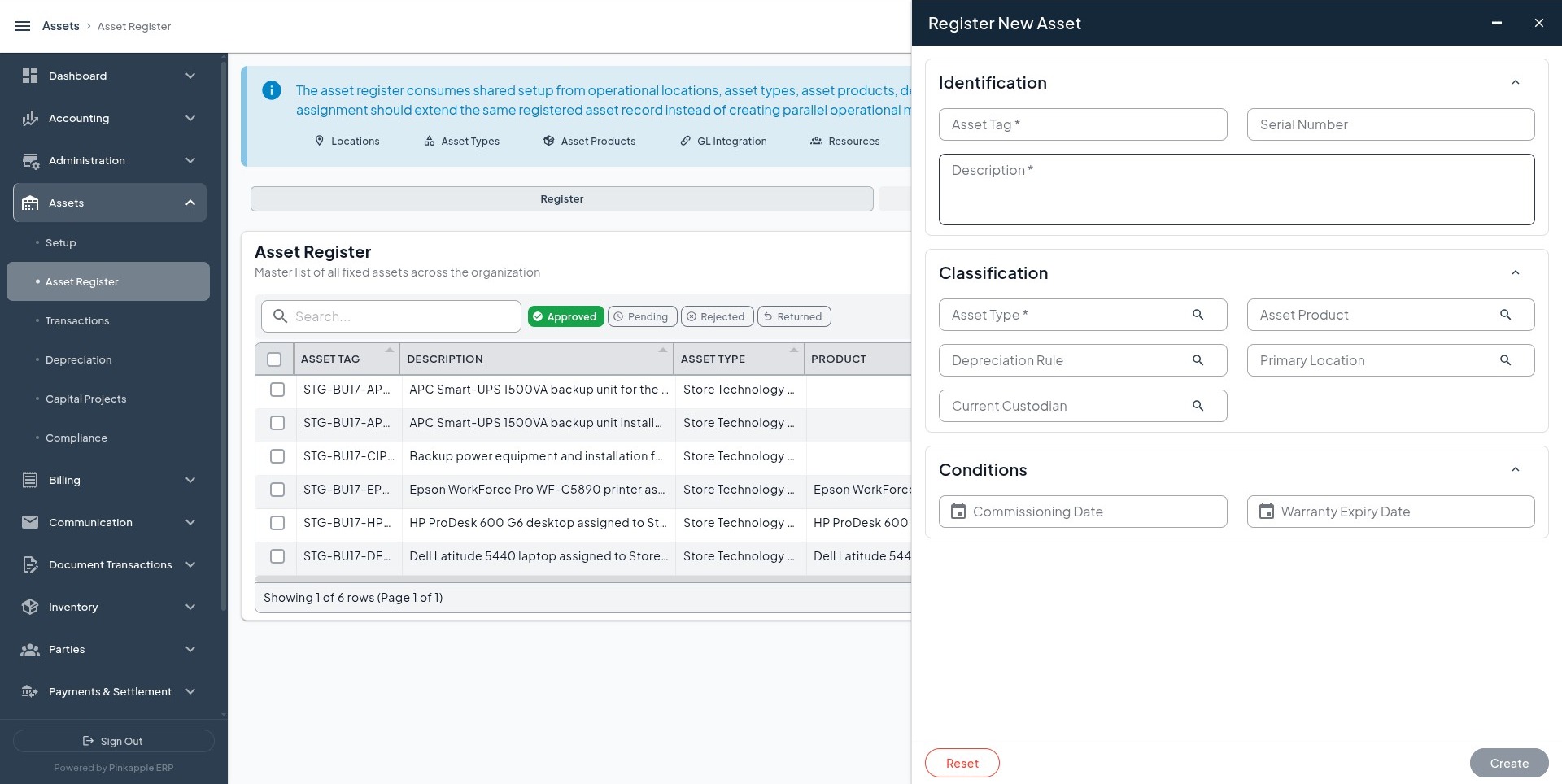
- Register the asset. Create the individual asset with a unique tag, readable description, approved classification, location, custodian, dates, and supporting identifiers.
- Record the lifecycle event. Use Transactions for acquisition, transfer, revaluation, impairment, or disposal; use Depreciation for period runs; use Capital Projects for CIP costs and capitalization.
- Maintain supporting evidence. Add documents, warranties, maintenance, insurance, incidents, calibration, licenses, and physical-verification records when they apply.
- Review the result. Read back the asset status, event history, approval or posting state, financial event, journal, account names, and balanced debit and credit totals. A saved operational record is not automatically a journal.
The lifecycle walkthrough uses the same named asset examples across these stages so a tenant can follow one consistent journey. Tenant users must still select their own approved people, locations, currencies, accounting dates, accounts, and policies.