
Appearance
ASSET OPERATIONS
Run an Asset Operation
Use this focused path when the asset already exists and the setup prerequisites are approved.
Choose one operation
Use the lifecycle walkthrough for a complete record
For a new tenant or a full lifecycle review, use Asset Lifecycle Walkthrough. This page is for a single approved operation after setup is complete.
1. Asset Register
The register is the source of the asset's identity, classification, custody, location, condition, and current financial context.
Open: Assets -> Asset Register -> Create Asset
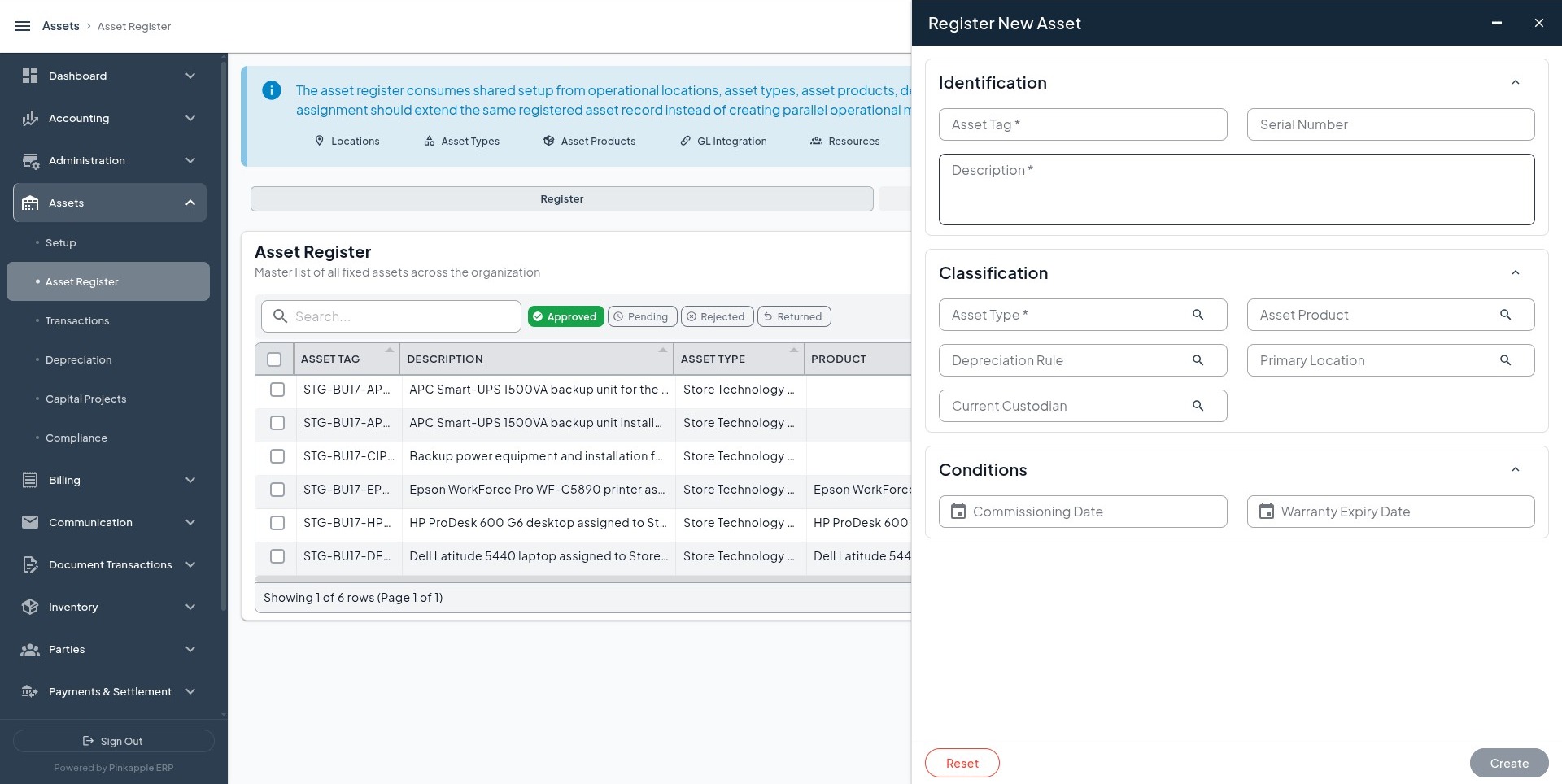
Enter and verify
| Field | What to enter or select |
|---|---|
| Asset tag | A unique tenant asset reference. |
| Serial number | The manufacturer or supplier serial number, when available. |
| Description | A clear name that users can recognize in reports and journals. |
| Asset type | The approved type from Asset Setup. |
| Asset product | The reusable product template, when applicable. |
| Depreciation rule | The rule appropriate for the selected type or product. |
| Primary location | The current approved operational location. |
| Current custodian | The approved responsible person or team. |
| Commissioning date | The date the asset became ready for use. |
| Warranty expiry | The date from the supporting warranty document, when available. |
After saving, refresh the list and open the detail view. Confirm the name, tag, type, product, location, custodian, and status. Registration alone must not create a debit, credit, valuation layer, or financial event.
2. Financial transactions
Open Assets -> Transactions -> Transactions and select the appropriate action. Complete one action at a time and use an open accounting date for operations expected to post.
Acquisition
Action: Record Acquisition
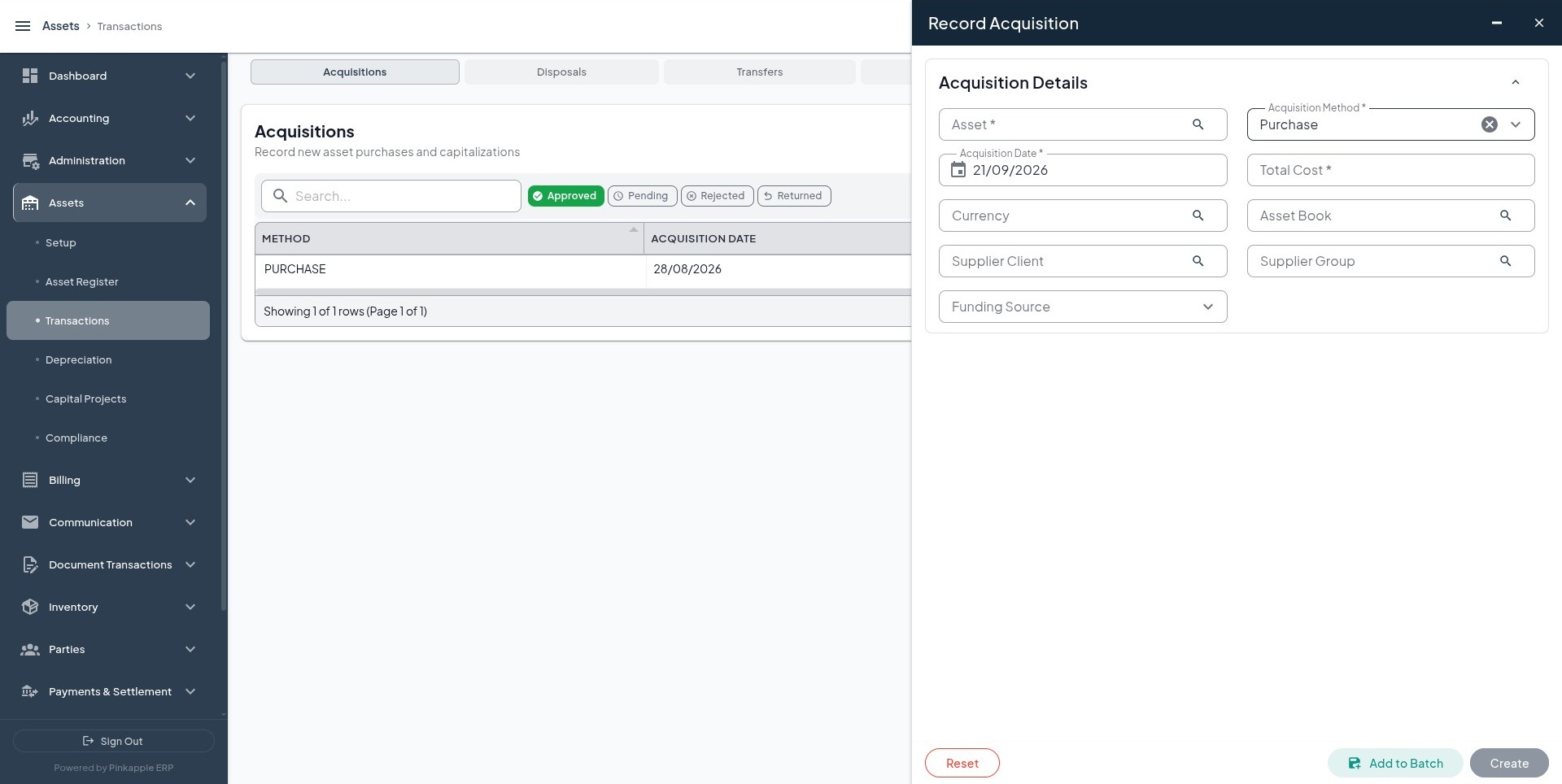
Capture the asset, acquisition method, acquisition date, total cost, currency, book, source party, invoice or reference, and notes. Confirm approval or posting status, then inspect the financial event and journal.
Expected accounting is normally a debit to the configured fixed-asset cost account and a credit to the configured clearing, payable, bank, or cash account. Debit and credit totals must equal the submitted cost.
Transfer
Action: Record Transfer
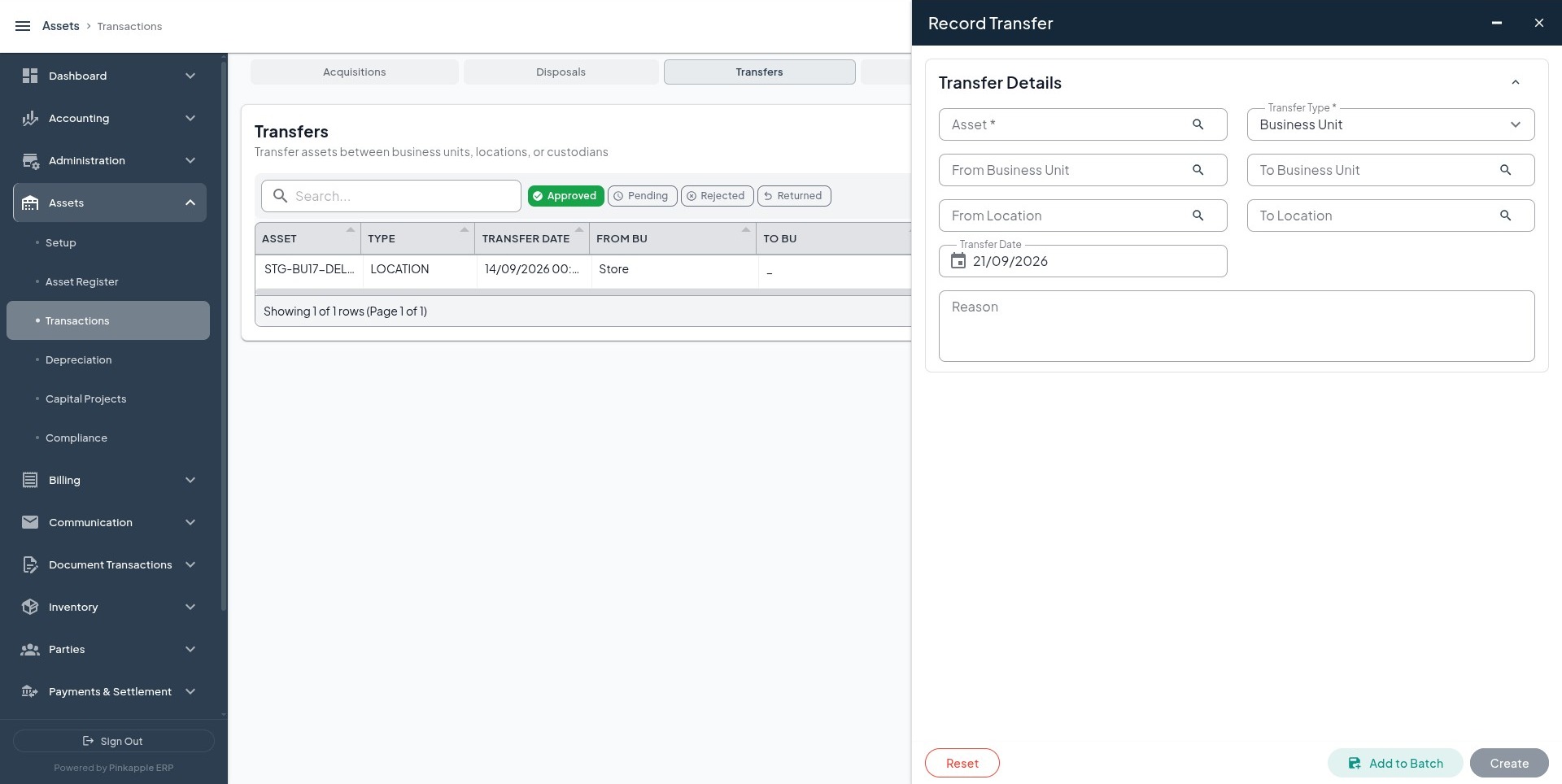
Select the current and destination values, effective date, reason, and approval context. A same-business-unit location transfer normally changes the asset history without creating a journal, unless the tenant's approved policy says otherwise.
Revaluation, impairment, and disposal
| Action | Use it when | Evidence required | Accounting check |
|---|---|---|---|
| Record Revaluation | An approved valuation policy changes carrying value. | Valuation basis, old value, new value, date, and approval. | Use only the approved revaluation mapping. |
| Record Impairment Test | Recoverable amount is below carrying amount. | Recoverable amount, indicator, reason, and supporting evidence. | Debit the approved impairment-loss account and credit the approved accumulated-impairment or asset account. |
| Record Disposal | The asset is sold, scrapped, donated, lost, retired, or written off. | Method, date, proceeds, reason, and supporting evidence. | Confirm cost derecognition, accumulated-depreciation clearance, proceeds, and gain or loss. |
Use the matching screenshot in the complete guide when entering each form: Revaluation, Impairment, and Disposal.
3. Depreciation
Open Assets -> Depreciation -> Depreciation Runs -> Run Depreciation.
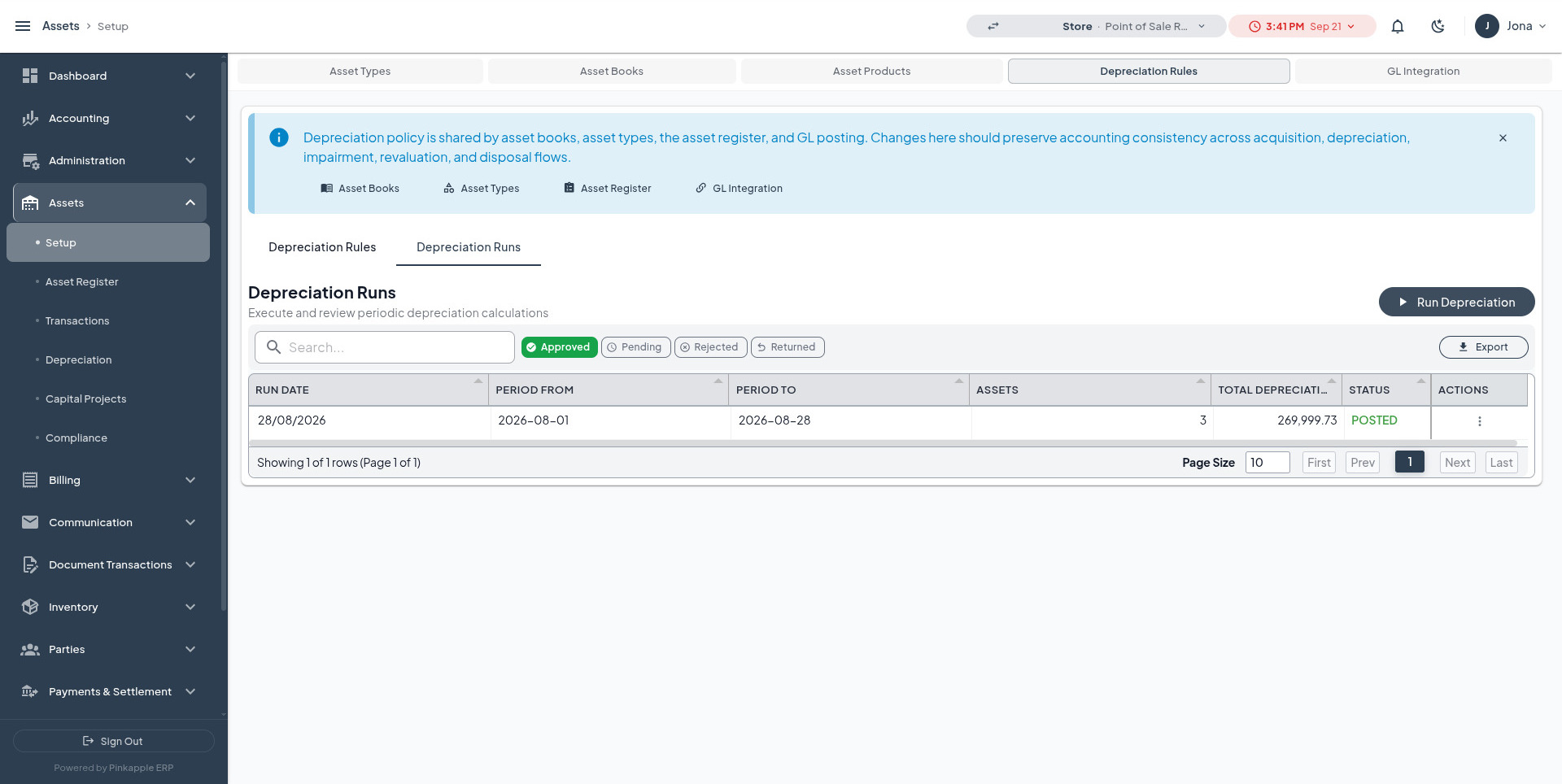
Select:
- period from and period to;
- asset book;
- asset type, when narrowing the run is intended;
- run date.
Review the included assets, dates, calculated amounts, exceptions, approval state, and posting state. Finalize only after finance review. Original cost should remain unchanged while accumulated depreciation and carrying value update.
Expected accounting is normally a debit to the depreciation expense account and a credit to the accumulated depreciation account. Re-running the same book and period must be idempotent or clearly rejected; it must not double the expense.
4. Supporting and compliance records
Open Assets -> Compliance and choose the record that matches the evidence available for the asset.
| Record | UI action | Use when | Journal expectation |
|---|---|---|---|
| Warranty | Create Warranty | A manufacturer or supplier warranty document exists. | No automatic journal. |
| Asset document | Create Asset Document | An invoice, title, support, or other approved document must be attached. | Uploading a document does not post the invoice. |
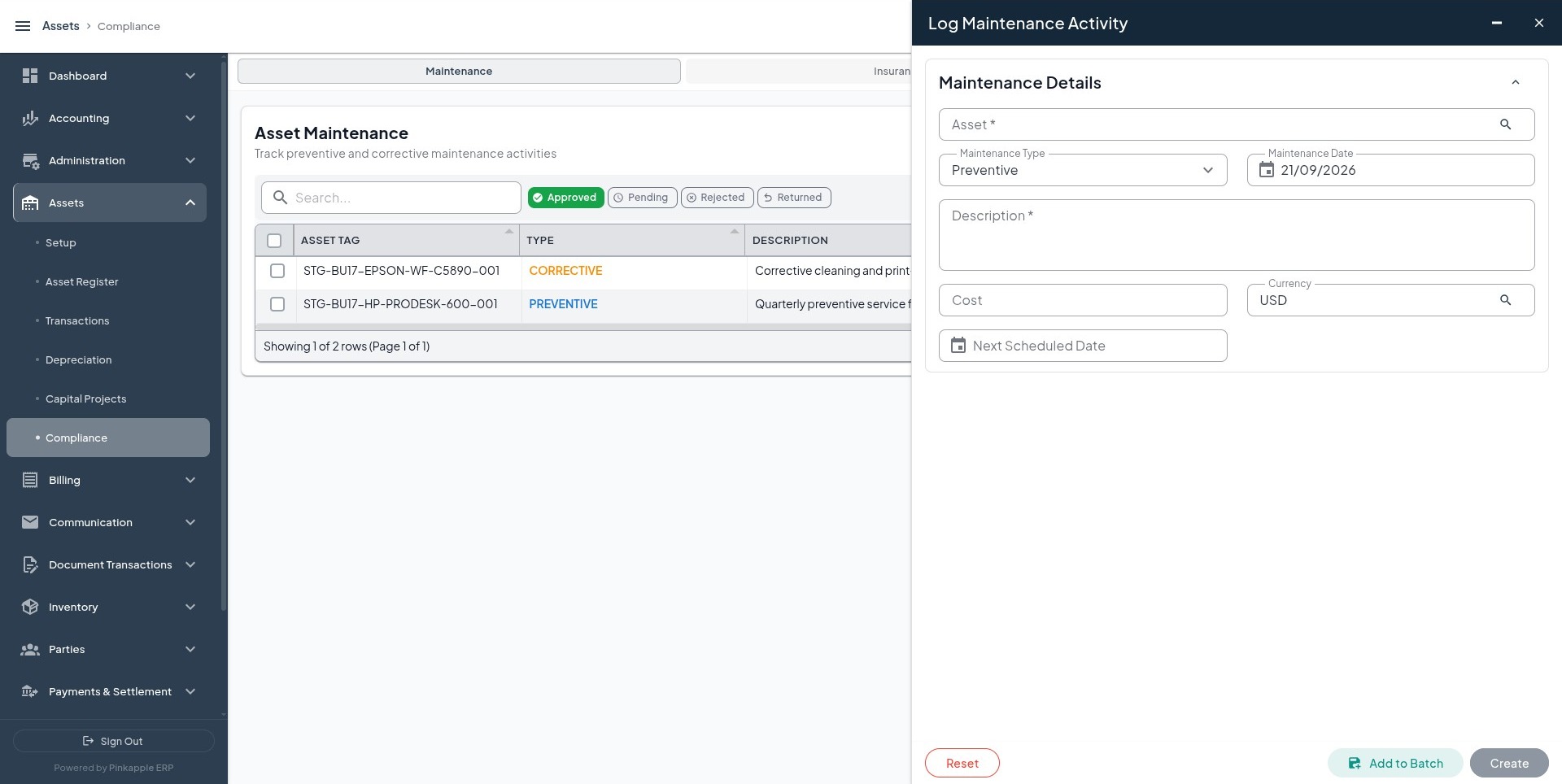
| Maintenance | Log Maintenance Activity | A service, repair, inspection, calibration, or upgrade occurred. | Post cost separately through the approved workflow when required. |
| Insurance | Create Insurance Policy | An approved policy covers the asset. | Coverage does not post the premium. |
| Physical verification | Create Physical Verification | The asset was physically inspected. | No journal from verification alone. |
| Incident | Create Asset Incident | The asset had an actual or controlled incident. | Repair cost follows the approved maintenance, payable, or expense flow. |
| Calibration | Create Asset Calibration | The asset requires measurement or equipment calibration. | Compliance history only. |
| Software license | Create Software License | A license is genuinely linked to the asset. | Subscription accounting follows the approved payable, prepaid, or expense flow. |
5. Capital Projects and capitalization
Open Assets -> Capital Projects -> CIP.
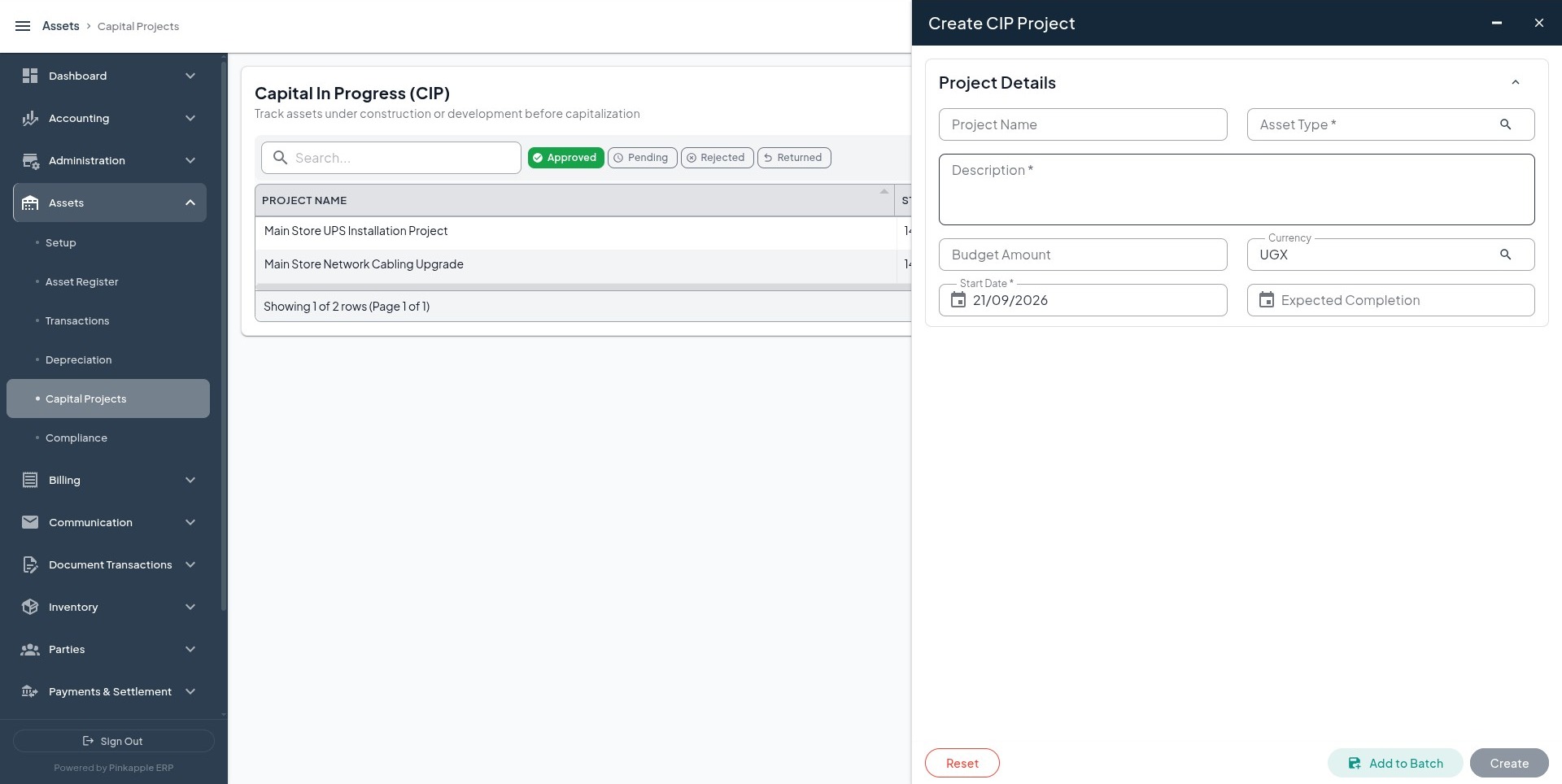
- Create the CIP project with the approved project name, code, dates, budget, business unit, and description.
- Add each eligible cost line with cost type, amount, currency, cost date, and description.
- Review accumulated cost and budget utilization.
- Capitalize only when the project is ready for use.
- Select the asset type, tag, product, description, location, and open accounting date.
Expected capitalization accounting is normally a debit to the fixed-asset cost account and a credit to Construction in Progress. If the posting rule is missing or unapproved, the event must remain pending or be rejected rather than creating an unbalanced journal.